
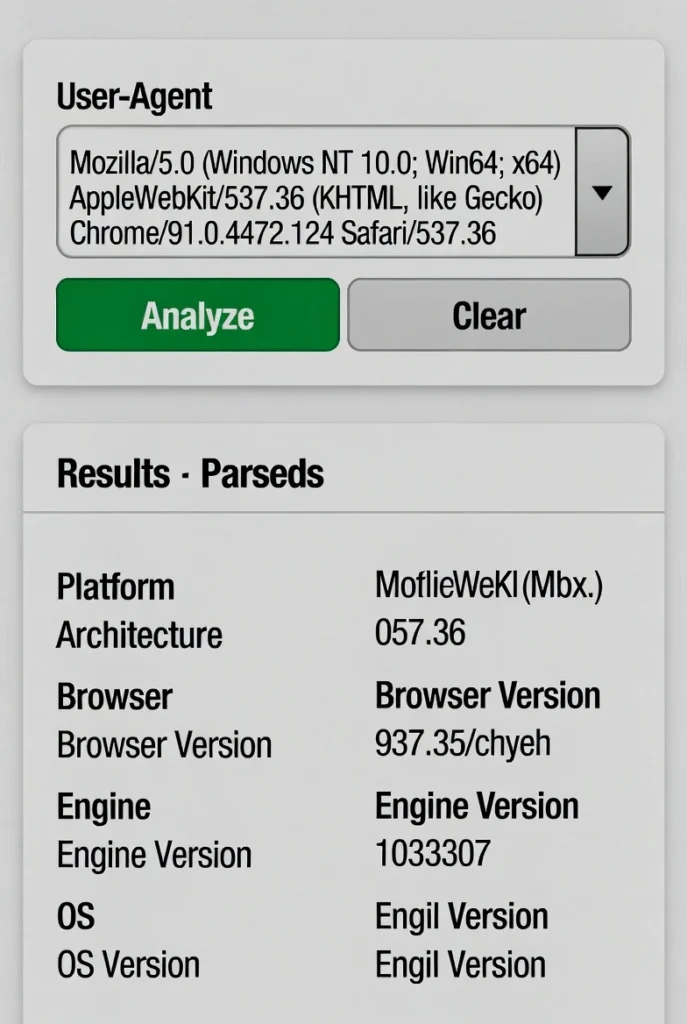
User Agent Viewer
See your User-Agent string and Client Hints (navigator.userAgentData).
User Agent Viewer | Check Your Browser Info
View your browser’s user agent string instantly. Our free tool reveals your device type, browser, and operating system details for debugging and compatibility.
Introduction
Ever wondered why some websites look different on your phone versus your computer? Or received a technical support request asking “what browser are you using?” The answer lies in your user agent string. A user agent viewer reveals the technical fingerprint your browser sends to every website you visit. This guide will explain user agents and show how our free tool helps developers, designers, and users understand browser compatibility.
What is a User Agent Viewer?
A user agent viewer is a tool that displays the complete user agent string transmitted by your web browser to websites. This string contains detailed information about your browser, device, and operating system.
Our comprehensive viewer analyzes:
- Browser name and version
- Operating system and version
- Device type (desktop, mobile, tablet)
- Rendering engine details
- Language and encoding preferences
Why User Agent Information Matters
Understanding user agent data provides valuable insights for both users and developers.
1. Web Development and Testing
Developers use user agent data to ensure websites function correctly across different browsers and devices.
2. Technical Troubleshooting
Support teams can identify browser-specific issues by analyzing user agent strings from problem reports.
3. Analytics and Statistics
Website owners track user agent data to understand their audience’s browser preferences and device usage.
4. Compatibility Checking
Users can verify why certain web features don’t work on their specific browser/device combination.
Key Components of a User Agent String
User agent strings contain several important pieces of information in a specific format.
Browser Identification
Includes the browser name (Chrome, Firefox, Safari) and version number, which determines feature support.
Operating System Details
Specifies the operating system (Windows, macOS, iOS, Android) and sometimes the version number.
Rendering Engine
Indicates the underlying technology that displays web pages (Blink, WebKit, Gecko).
Device Information
For mobile devices, often includes model information and whether the device is a phone or tablet.
Key Features of Our User Agent Viewer
Our tool provides detailed analysis with these user-friendly features.
- Instant Detection: Automatically reads your browser’s user agent string
- Detailed Breakdown: Separates and explains each component clearly
- Copy Functionality: Easy copying for sharing with developers or support teams
- Mobile-Friendly: Works perfectly on all devices and browsers
- Privacy-Respecting: We don’t store or log any user agent information
Common User Agent Scenarios
Here are practical situations where viewing user agent information provides solutions.
Website Compatibility Issues
- A website feature doesn’t work on your current browser
- Check if your browser version is supported
- Identify if the issue is browser-specific
Web Development Testing
- Verify how websites identify your development environment
- Test responsive designs across different user agents
- Debug browser-specific CSS or JavaScript issues
Technical Support Requests
- Provide accurate browser information to support teams
- Help developers reproduce and fix compatibility problems
- Eliminate guesswork in troubleshooting sessions
How to Use Our User Agent Viewer
Getting your browser information takes just one simple step.
- Visit Our Tool: The viewer automatically detects and displays your complete user agent string
- Review Details: Examine the broken-down components and their meanings
- Copy if Needed: Use the copy button to share your user agent with others
Understanding User Agent Results
Our tool breaks down your user agent string into easy-to-understand sections.
Browser Information
Shows your exact browser name, version, and the underlying rendering engine powering it.
Platform Details
Reveals your operating system, version number, and whether you’re on a desktop or mobile device.
Additional Components
Displays supporting information like language preferences and compatibility flags.
Conclusion
Your user agent string is your browser’s digital introduction to every website you visit. A reliable user agent viewer demystifies this technical information, helping users understand compatibility issues and assisting developers in creating better web experiences. Whether you’re troubleshooting website problems, testing cross-browser compatibility, or simply curious about what your browser reveals, understanding user agents is key to navigating the web effectively.
Ready to see your browser’s identity? [Use our free User Agent Viewer now] and discover what websites know about your browser!
Checkout Our new URL Encode/Decode Tool here…..
Frequently Asked Questions (FAQs)
Is this user agent viewer completely free?
Yes, 100% free with no usage limits, registration requirements, or hidden costs.
What information does the user agent string reveal about me?
It shows technical details about your browser and device but doesn’t reveal personal information like your name or location.
Can I change my user agent string?
Yes, most browsers allow you to temporarily change your user agent for testing purposes through developer tools.
Why do different browsers have different user agent formats?
There’s no single standard, so each browser vendor creates their own format, though they generally include similar information.
Is this user agent viewer completely free?
Yes, 100% free with no usage limits, registration requirements, or hidden costs.
What information does the user agent string reveal about me?
It shows technical details about your browser and device but doesn’t reveal personal information like your name or location.
Can I change my user agent string?
Yes, most browsers allow you to temporarily change your user agent for testing purposes through developer tools.
Why do different browsers have different user agent formats?
There’s no single standard, so each browser vendor creates their own format, though they generally include similar information.
