
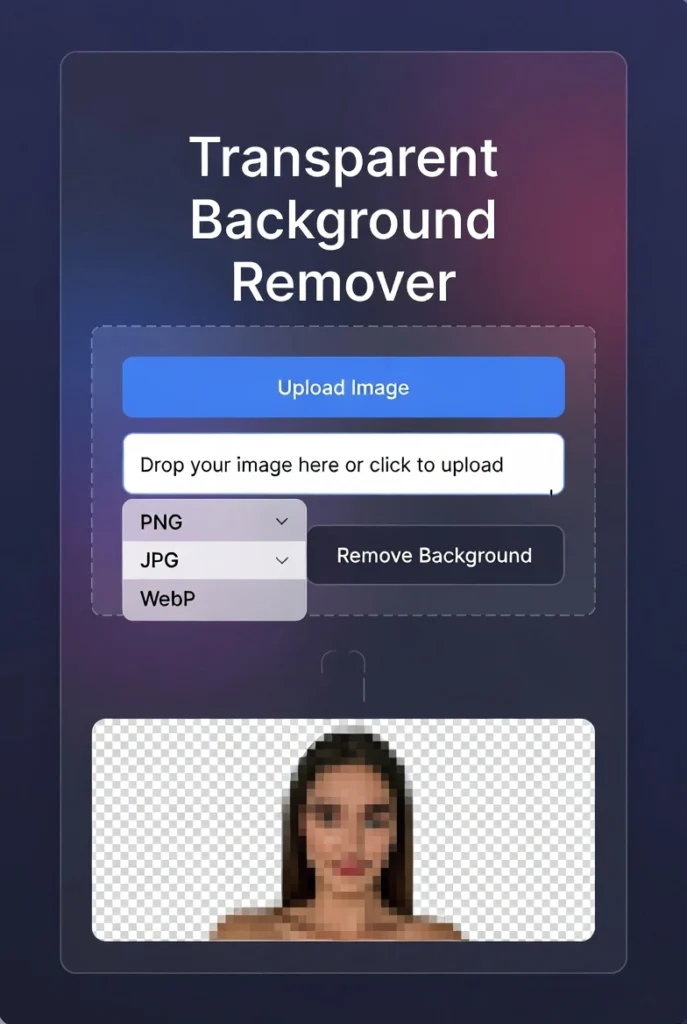
Transparent Background Remover
About this tool: This tool allows you to remove the background from images and make it transparent. It uses color detection and edge analysis to separate the foreground from the background.
How to use: Upload an image, adjust the tolerance level to fine-tune the background removal, then download the resulting transparent PNG image.
Note: This tool works best with images that have a relatively uniform background color and clear contrast between the subject and background.
Drop your image here or
Original Image
Transparent Background
Processing image…
Transparent Background Remover | Make PNG Online
Remove image backgrounds and create transparent PNGs instantly. Our free background remover works with one click - no editing skills needed.
Introduction
Tired of struggling with complicated photo editors to remove backgrounds? Need a clean, transparent background for your product photos or logos? Manually removing backgrounds can take hours and requires advanced skills. A transparent background remover uses AI to automatically detect and delete backgrounds in seconds. This guide will show you how transparent images can enhance your projects and how our free tool delivers professional results instantly.
What is a Transparent Background Remover?
A transparent background remover is an AI-powered tool that automatically detects and removes the background from images, creating a transparent PNG file. It isolates subjects from their surroundings with precision.
Our advanced remover handles:
- Product photography with complex edges
- People and portraits with fine hair details
- Logos and graphics with clean edges
- E-commerce images for white background requirements
- Creative projects needing isolated elements
Why Transparent Backgrounds are Essential
Images with transparent backgrounds offer significant advantages across various applications.
1. Professional Product Listings
E-commerce sites require clean product images on white or transparent backgrounds for consistent presentation.
2. Logo and Brand Design
Designers need transparent logos that work on any background color or texture.
3. Marketing Materials
Create compelling composites for social media, advertisements, and presentations.
4. Web Design
Developers use transparent images for overlays, icons, and responsive design elements.
Key Features of Our Background Remover
Our tool stands out with these powerful, user-friendly features.
- One-Click Removal: AI automatically detects and removes backgrounds
- High-Quality Results: Maintains image quality with clean edges
- Hair and Fur Detection: Handles complex details other tools miss
- Batch Processing: Remove backgrounds from multiple images at once
- No Watermarks: Professional results without branding
Common Use Cases and Applications
Transparent images solve design challenges across multiple industries and projects.
E-commerce Product Photos
- Remove distracting backgrounds from product images
- Create consistent white background listings
- Prepare images for multiple marketplace requirements
Graphic Design Projects
- Isolate design elements for composites
- Create logos with transparent backgrounds
- Prepare images for print and web layouts
Social Media Content
- Create engaging composite images for posts
- Design profile pictures with transparent backgrounds
- Make custom stickers and overlays for stories
How to Remove Backgrounds in 3 Steps
Our streamlined process makes professional editing accessible to everyone.
- Upload Your Image: Select any JPG or PNG file from your device
- Auto-Process: Our AI instantly removes the background
- Download PNG: Save your transparent image immediately
Image Preparation Tips for Best Results
Follow these guidelines to ensure perfect background removal every time.
Choose High-Contrast Images
Images with clear contrast between subject and background yield the best results.
Avoid Similar Colors
When subject and background colors are too similar, the AI may struggle with edges.
Use Good Lighting
Well-lit photos with minimal shadows produce cleaner selections and edges.
Check Image Resolution
Higher resolution images allow the AI to detect finer details like hair and fur.
Conclusion
Transparent background images are essential for professional design, e-commerce, and digital content creation. A reliable transparent background remover eliminates the technical barrier to creating polished, professional images without expensive software or advanced skills. Whether you're building an online store, designing marketing materials, or creating social media content, transparent images elevate your projects and maintain consistency across platforms.
Ready to transform your images? [Use our free Transparent Background Remover now] and create professional transparent PNGs in seconds!
Checkout Our new Touch Screen Test Tool here....
Frequently Asked Questions (FAQs)
Is this background remover completely free?
Yes, 100% free with no usage limits, watermarks, or registration required.
What image formats work with the tool?
We support JPG, PNG, and WebP files up to 25MB in size.
How accurate is the AI background removal?
Our AI achieves professional-grade accuracy, especially with clear, high-contrast images.
Can I remove backgrounds from images with people?
Yes, our tool excels at detecting people, including challenging details like hair.
Is this background remover completely free?
Yes, 100% free with no usage limits, watermarks, or registration required.
What image formats work with the tool?
We support JPG, PNG, and WebP files up to 25MB in size.
How accurate is the AI background removal?
Our AI achieves professional-grade accuracy, especially with clear, high-contrast images.
Can I remove backgrounds from images with people?
Yes, our tool excels at detecting people, including challenging details like hair.
