
Text Sorter (A to Z)
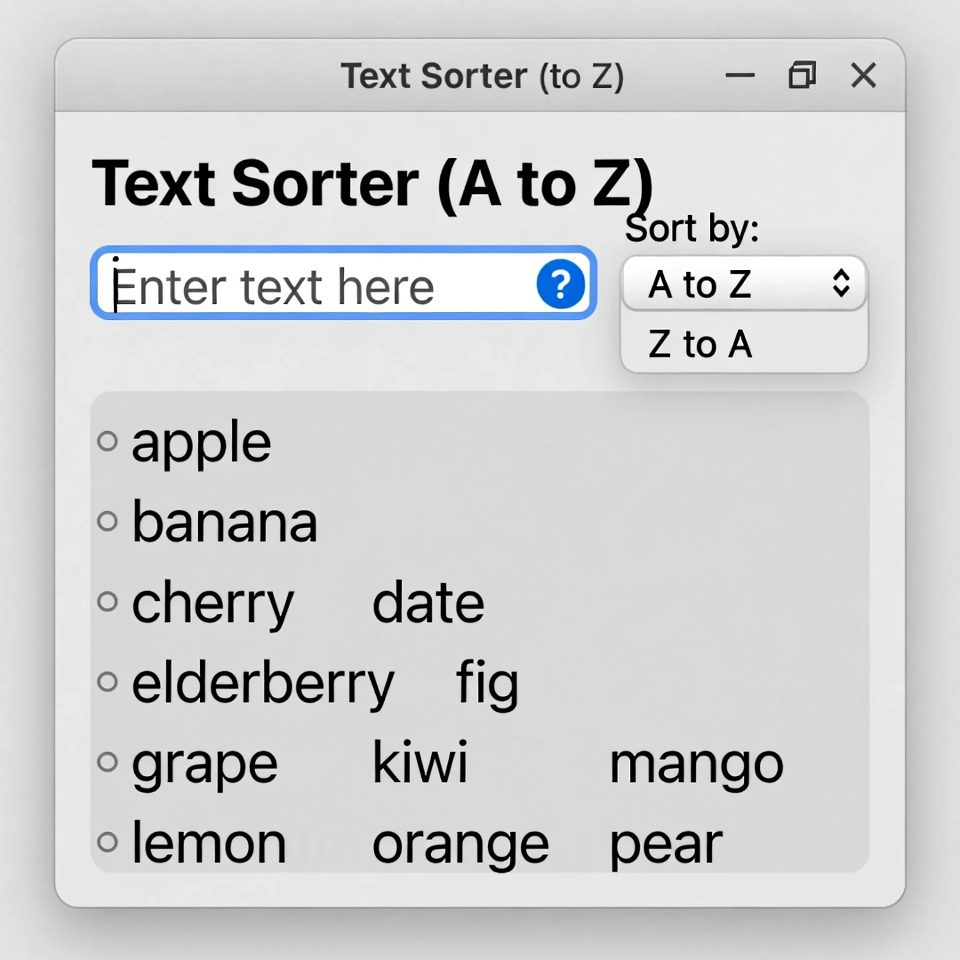
This tool sorts text alphabetically (A to Z) or numerically. Each line is treated as a separate item for sorting.
Perfect for organizing lists, creating alphabetical indices, or sorting data.
Result:
How to Use:
- Enter or paste text in the input box above (one item per line)
- Choose your sorting preferences:
- Sort direction (ascending or descending)
- Sort type (alphabetical or numerical)
- Additional options (remove duplicates, case-insensitive, ignore leading spaces)
- Click the “Sort Text” button
- The sorted text will appear in the result box
- Use the “Copy Result” button to copy the sorted text to clipboard
Note: For numerical sorting, the tool will treat each line as a number. Non-numeric lines will be placed at the end.
Text Sorter (A to Z) | Alphabetize Lists Online
Sort your text lists alphabetically from A to Z instantly. Our free text sorter organizes lists, removes duplicates, and handles various text formats easily.
Introduction
Struggling to organize long lists of names, items, or data? Need to alphabetize a list quickly for a project or report? Manually sorting text is time-consuming and prone to errors. An A to Z text sorter automatically organizes your lists in alphabetical order, saving you valuable time and ensuring accuracy. This guide will show you the benefits of alphabetized lists and how our free tool can streamline your organization process.
What is a Text Sorter (A to Z)?
A text sorter (A to Z) is an online tool that automatically arranges text entries in alphabetical order. It processes lists of words, phrases, or data and reorganizes them from A to Z according to standard sorting rules.
Our advanced sorter handles:
- Simple word lists and complex phrases
- Case-sensitive and case-insensitive sorting
- Duplicate removal for clean lists
- Multiple languages and special characters
- Number sorting within text lists
Why Alphabetical Sorting Matters
Organized lists improve efficiency, readability, and data management across various applications.
1. Data Organization
Alphabetized lists make information easier to scan, search, and retrieve in databases and spreadsheets.
2. Professional Presentations
Sorted lists appear more professional in reports, directories, and reference materials.
3. Time Efficiency
Automated sorting saves hours compared to manual organization, especially with large lists.
4. Consistency
Ensures uniform organization across documents and team projects.
Key Features of Our Text Sorter
Our tool provides professional sorting capabilities with these user-friendly features.
- One-Click Sorting: Alphabetize lists instantly
- Duplicate Removal: Option to eliminate repeated entries
- Case Options: Choose case-sensitive or case-insensitive sorting
- Multiple Formats: Handle comma-separated, line-by-line, or paragraph text
- Copy-Paste Ready: Easy transfer of sorted lists
Common Sorting Scenarios
Here are practical situations where text sorting provides immediate benefits.
Business Directories
- Sort employee names alphabetically
- Organize product lists for catalogs
- Arrange client lists for easy reference
Academic Use
- Alphabetize reference lists and bibliographies
- Organize research data and terms
- Sort vocabulary lists for study
Personal Organization
- Arrange grocery lists by store sections
- Organize contact lists
- Sort movie or book collections
How to Sort Text A to Z in 3 Steps
Organizing your lists is simple with our streamlined process.
- Paste Your List: Enter your unsorted text into the input field
- Choose Options: Select sorting preferences and duplicate removal
- Get Sorted List: Receive your alphabetically organized text instantly
Text Sorting Best Practices
Follow these guidelines for optimal sorting results.
Use Consistent Formatting
Ensure all entries follow the same format before sorting for best results.
Consider Capitalization
Decide whether case sensitivity matters for your specific use case.
Remove Extra Spaces
Clean up unnecessary spaces that might affect sorting accuracy.
Test with Sample Data
Verify the sorting works as expected with a small sample before processing large lists.
Understanding Sorting Methods
Different sorting approaches serve different organizational needs.
Alphabetical (A-Z)
Standard sorting from beginning to end of alphabet. Most common for general use.
Reverse Alphabetical (Z-A)
Useful for descending order lists or specific organizational needs.
Case Sensitive
Distinguishes between uppercase and lowercase letters in sorting order.
Case Insensitive
Treats uppercase and lowercase letters equally during sorting.
Conclusion
Alphabetical organization transforms chaotic lists into structured, accessible information that's easy to navigate and use. A reliable text sorter (A to Z) eliminates the tedium of manual organization while ensuring accuracy and consistency in your lists. Whether you're managing business data, academic references, or personal information, automated sorting saves time and improves the usability of your organized content.
Ready to organize your lists? [Use our free Text Sorter (A to Z) now] and transform disordered text into perfectly alphabetized lists instantly!
Checkout our new tool Text Repeater.....
Frequently Asked Questions (FAQs)
Is this text sorter completely free?
Yes, 100% free with no usage limits, registration requirements, or hidden costs.
Can I sort lists with numbers and special characters?
Yes, our tool handles numbers, symbols, and special characters according to standard sorting rules.
How does the sorter handle different languages?
The tool supports multiple languages and follows standard Unicode sorting conventions.
Can I remove duplicates while sorting?
Absolutely. You can choose to eliminate duplicate entries during the sorting process.
Is this text sorter completely free?
Yes, 100% free with no usage limits, registration requirements, or hidden costs.
Can I sort lists with numbers and special characters?
Yes, our tool handles numbers, symbols, and special characters according to standard sorting rules.
How does the sorter handle different languages?
The tool supports multiple languages and follows standard Unicode sorting conventions
Can I remove duplicates while sorting?
Absolutely. You can choose to eliminate duplicate entries during the sorting process.
