
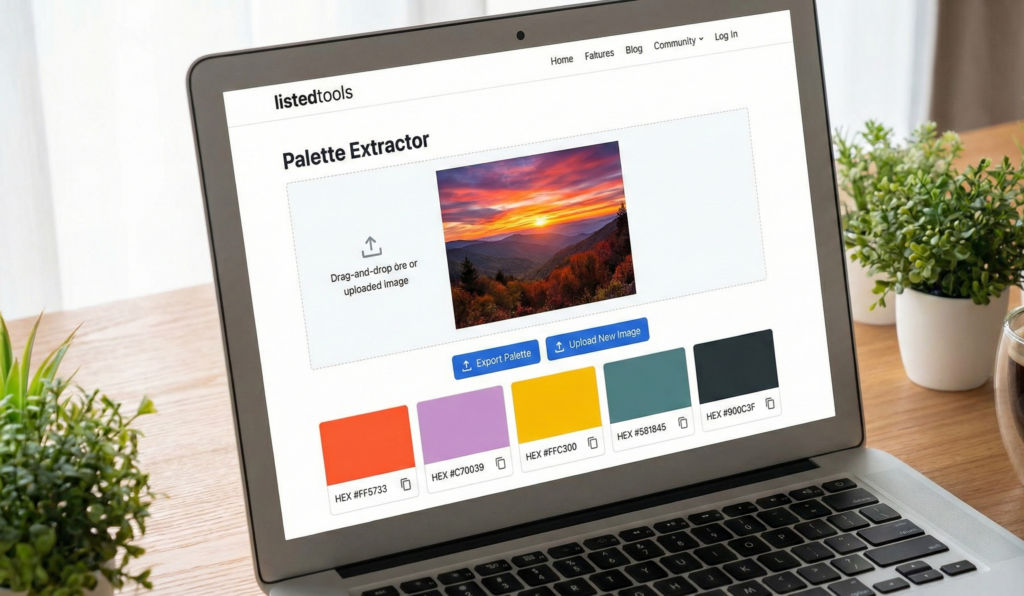
Palette Extractor (From Image)
About this tool: This tool allows you to extract a color palette from any uploaded image. It uses color quantization to identify the most prominent colors in the image.
How to use: Upload an image using the button or drag and drop. Adjust the number of colors to extract, then click on any color in the palette to copy its hex code.
Drop your image here or
Palette Extractor | Get Color Codes from Images
Extract color palettes from any image instantly. Our free palette generator finds HEX, RGB, and HSL codes for perfect color matching and design.
Introduction
Found a beautiful color in an image but don’t know how to recreate it? Need the exact color codes from a logo or photograph for your design project? Manually picking colors is imprecise and time-consuming. A palette extractor automatically identifies the dominant colors in any image and provides their exact color values. This guide will show you how color extraction works and how our free tool helps designers, artists, and creators build perfect color schemes.
What is a Palette Extractor?
A palette extractor is a digital tool that analyzes images and identifies their dominant colors. It generates a color palette with exact codes that can be used in design software, websites, and creative projects.
Our advanced extractor provides:
- HEX codes for web design (#FF5733)
- RGB values for digital projects (255, 87, 51)
- HSL values for color adjustments (14°, 100%, 60%)
- Color names and family classifications
- Multiple palette options from the same image
Why Color Extraction Matters
Accurate color identification is crucial for maintaining brand consistency and creating harmonious designs.
1. Brand Consistency
Match colors exactly from logos, marketing materials, and brand assets.
2. Design Inspiration
Create color schemes from photographs, nature, or artwork you admire.
3. Web Development
Extract colors from mockups and designs for accurate CSS implementation.
4. Artistic Projects
Recreate color palettes from reference images for paintings and digital art.
Key Features of Our Palette Extractor
Our tool provides professional color analysis with these user-friendly features.
- Multiple Upload Options: Drag and drop or file selection
- Custom Palette Size: Extract 3-10 colors from each image
- Color Code Export: Copy all codes at once or individually
- Image Preview: See your image alongside the extracted palette
- Mobile Friendly: Works perfectly on all devices
Common Color Extraction Scenarios
Here are practical situations where palette extraction provides immediate value.
Brand Development
- Extract exact colors from competitor logos
- Create complementary color schemes from brand imagery
- Maintain color consistency across all marketing materials
Web Design
- Pull colors from client-provided inspiration images
- Create harmonious color schemes for websites and apps
- Match colors from existing brand assets for redesigns
Interior Design
- Extract color schemes from room inspiration photos
- Create paint color palettes from nature photographs
- Match furniture and decor colors from product images
How to Extract Color Palettes in 3 Steps
Creating professional color schemes is simple with our streamlined process.
- Upload Image: Select your photo or design file
- Generate Palette: Let our tool analyze and extract colors
- Copy Codes: Use the exact color values in your projects
Color Extraction Best Practices
Follow these guidelines for optimal palette creation and usage.
Use High-Quality Images
Clear, well-lit photos produce more accurate color extraction results.
Consider Color Context
Remember that colors may appear different based on surrounding colors and lighting.
Test Color Combinations
Always preview how extracted colors work together in your actual design.
Save Your Palettes
Keep records of successful color schemes for future projects.
Understanding Color Formats
Different color codes serve various design and development purposes.
HEX Codes
Six-digit codes prefixed with # used primarily in web design and CSS.
RGB Values
Red, Green, Blue values from 0-255 used for digital screen design.
HSL Values
Hue, Saturation, Lightness values useful for color adjustment and manipulation.
CMYK Values
Cyan, Magenta, Yellow, Key (black) values used for print design.
Conclusion
Color palette extraction is an essential tool for designers, developers, and creatives who need accurate color matching and harmonious scheme creation. A reliable palette extractor eliminates the guesswork from color identification, providing exact codes that ensure consistency across all your projects. Whether you’re maintaining brand standards, creating new designs, or drawing inspiration from the world around you, precise color extraction ensures your color choices are both beautiful and accurate.
Ready to discover your perfect palette? [Use our free Palette Extractor now] and get exact color codes from any image instantly!
- Crucial for designers ensuring their color palettes are readable (accessible) for visually impaired users.
