
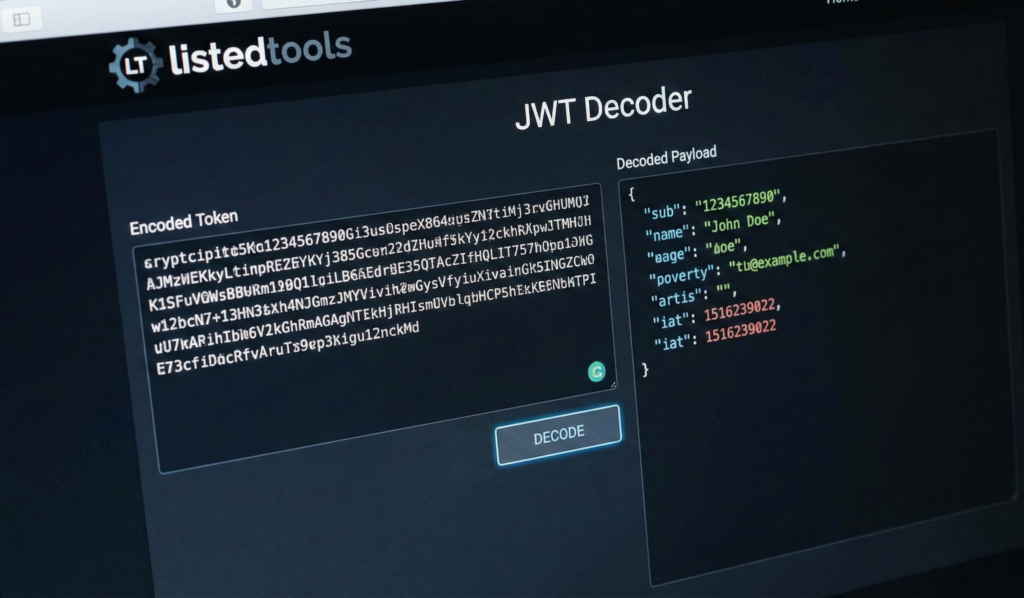
JWT Decoder
About this tool: Decode and inspect JSON Web Tokens (JWT) to view their contents and validate their signatures. JWT is a compact, URL-safe means of representing claims between two parties.
How to use:
- Paste a JWT token in the input field
- Click “Decode” to view the token’s header and payload
- Optionally, enter a secret key to verify the token’s signature
- The tool will show you if the token is valid and when it expires
JWT Decoder | Decode JSON Web Tokens Online
Decode and verify JWT tokens instantly. Our free JWT decoder reveals token payload, headers, and signature details for development and debugging.
Introduction
Working with JSON Web Tokens but struggling to read their encoded contents? Need to debug authentication issues or verify token payloads during development? JWT tokens contain valuable information, but their encoded format makes them difficult to read. A JWT decoder provides the solution by instantly revealing token contents in human-readable format. This guide will explain JWT structure and show how our free tool helps developers work with tokens efficiently.
What is a JWT Decoder?
A JWT decoder is a development tool that takes a JSON Web Token and decodes its contents into readable JSON format. It separates the token into its three main components and displays them clearly for analysis.
Our professional decoder handles:
- Header decoding showing algorithm and token type
- Payload extraction revealing claims and user data
- Signature verification when provided with secret keys
- Multiple token formats and standards
- Expiration checking and validation
Why JWT Decoding is Essential
Understanding token contents is crucial for development, debugging, and security.
1. Development Debugging
Quickly inspect token contents during application development and testing.
2. Security Analysis
Verify token claims and identify potential security issues or misconfigurations.
3. Authentication Troubleshooting
Diagnose authentication problems by examining token payloads and expiration.
4. API Integration
Understand token structure when working with third-party APIs and services.
Key Features of Our JWT Decoder
Our tool provides comprehensive token analysis with these developer-friendly features.
- Instant Decoding: Real-time results as you paste tokens
- Color-Coded Output: Easy-to-read header and payload sections
- Signature Verification: Validate tokens with provided secrets
- Expiration Checking: Automatic validation timestamp checking
- No Data Storage: We never save or log your tokens
Common JWT Decoding Scenarios
Here are practical situations where our decoder provides immediate value.
Application Development
- Debug authentication flows during development
- Verify token claims in custom applications
- Test token generation and validation logic
API Integration
- Examine tokens from third-party services
- Understand required claims for API access
- Debug integration issues with external APIs
Security Auditing
- Review token contents for security compliance
- Identify potential vulnerabilities in token usage
- Verify proper token expiration and claim validation
How to Decode JWT Tokens in 3 Steps
Reading your token contents is straightforward with our simple process.
- Paste JWT Token: Input your encoded JWT string
- Decode Contents: View separated header and payload
- Analyze Results: Examine claims and token details
JWT Decoding Best Practices
Follow these guidelines for secure and effective token analysis.
Use Test Tokens
Only decode development or test tokens, never production tokens with sensitive data.
Verify Expiration
Always check token expiration timestamps to ensure validity.
Validate Claims
Confirm that token claims match your application’s expectations and requirements.
Keep Secrets Secure
Never share secret keys when using online verification tools.
Understanding JWT Structure
Knowing these components helps you work effectively with JSON Web Tokens.
Header Section
Contains token type (JWT) and signing algorithm (HS256, RS256, etc.).
Payload Section
Includes claims like user ID, expiration, and custom application data.
Signature Section
Cryptographic signature that verifies token integrity and authenticity.
Standard Claims
Registered claims like “iss” (issuer), “exp” (expiration), and “sub” (subject).
Conclusion
JWT decoding is an essential skill for developers working with modern authentication systems and API integrations. A reliable JWT decoder eliminates the complexity of reading encoded tokens by providing clear, organized views of token contents and validation status. Whether you’re debugging authentication flows, integrating with third-party APIs, or conducting security reviews, proper token analysis ensures your applications handle authentication correctly and securely.
Ready to decode your tokens? [Use our free JWT Decoder now] and instantly reveal the contents of any JSON Web Token!
- This is the industry-standard debugger. Link here if you are comparing tools or crediting the most popular resource.
Frequently Asked Questions (FAQ)
Is this JWT decoder completely free?
Yes, 100% free with no usage limits, registration requirements, or hidden costs.
Is it safe to decode my JWT tokens online?
Yes, for development tokens. Never decode production tokens containing sensitive user data.
Can I verify token signatures with this tool?
Yes, you can provide your secret key to verify token signatures and integrity.
What JWT algorithms are supported?
We support HS256, HS384, HS512, RS256, and other common signing algorithms.
Is this JWT decoder completely free?
Yes, 100% free with no usage limits, registration requirements, or hidden costs.
Is it safe to decode my JWT tokens online?
Yes, for development tokens. Never decode production tokens containing sensitive user data.
Can I verify token signatures with this tool?
Yes, you can provide your secret key to verify token signatures and integrity.
What JWT algorithms are supported?
We support HS256, HS384, HS512, RS256, and other common signing algorithms.
