
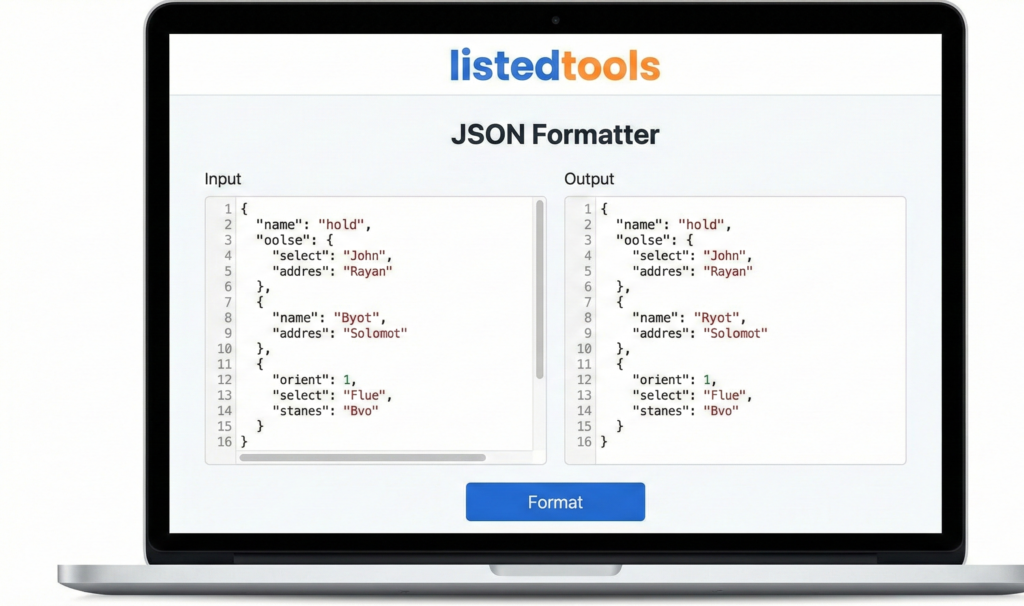
JSON Formatter & Validator
This tool helps you format, validate, and beautify JSON data. It checks your JSON for syntax errors and formats it with proper indentation for better readability. You can also minify JSON to reduce its size for production use.
How to use: Paste your JSON data in the input box below, select your formatting options, and click either “Format & Validate” to beautify or “Minify” to compress the JSON. The tool will check for errors and display the formatted result.
JSON Formatter & Validator | Beautify & Validate JSON
Format, validate, and beautify JSON data instantly. Our free JSON formatter checks syntax, fixes errors, and makes JSON readable and professional.
Introduction
Working with messy, unformatted JSON data? Need to validate JSON syntax or make it human-readable for documentation and debugging? Poorly formatted JSON is difficult to read, debug, and maintain. A JSON formatter and validator provides the perfect solution by instantly transforming chaotic JSON into clean, organized, and validated code. This guide will show you why proper JSON formatting matters and how our free tool streamlines your development workflow.
What is a JSON Formatter & Validator?
A JSON formatter and validator is a developer tool that takes raw JSON data and applies consistent formatting while checking for syntax errors. It transforms compact or messy JSON into beautifully structured, readable code.
Our advanced tool provides:
- Automatic indentation and line breaks
- Syntax validation and error highlighting
- Multiple formatting styles and options
- JSON compression for production use
- Tree view for complex data structures
Why JSON Formatting is Essential
Proper JSON formatting improves readability, debugging efficiency, and code quality.
1. Improved Readability
Well-formatted JSON is easier to understand, debug, and maintain.
2. Error Prevention
Syntax validation catches mistakes before they cause runtime errors.
3. Professional Documentation
Clean JSON makes APIs and data structures easier to document and share.
4. Team Collaboration
Consistent formatting ensures all team members can work with JSON efficiently.
Key Features of Our JSON Tool
Our formatter and validator provides professional-grade JSON processing with these developer-friendly features.
- One-Click Formatting: Beautify JSON instantly
- Real-Time Validation: Get immediate syntax feedback
- Multiple Themes: Choose from dark and light formatting styles
- Error Highlighting: Pinpoint exact syntax issues
- Copy-Paste Ready: Easy transfer of formatted JSON
Common JSON Formatting Scenarios
Here are practical situations where our tool provides immediate value.
API Development
- Format API responses for clear documentation
- Validate request and response JSON structures
- Debug API integration issues quickly
Configuration Files
- Format JSON configuration files for readability
- Validate settings before deployment
- Maintain clean, organized configuration structures
Data Processing
- Prepare JSON data for analysis and reporting
- Validate data imports and exports
- Clean and organize JSON from various sources
How to Format & Validate JSON in 3 Steps
Transforming your JSON is simple with our streamlined process.
- Paste Your JSON: Input raw or messy JSON data
- Format & Validate: Let our tool beautify and check syntax
- Use Clean JSON: Copy your perfectly formatted, validated code
JSON Formatting Best Practices
Follow these guidelines for optimal JSON structure and readability.
Use Consistent Indentation
Standard 2 or 4-space indentation makes JSON hierarchies clear and readable.
Maintain Proper Spacing
Include spaces after colons and commas for better visual separation.
Validate Before Use
Always check JSON syntax before using it in production applications.
Choose Meaningful Key Names
Use descriptive, consistent key names that clearly represent the data.
Understanding JSON Structure
Knowing these fundamental elements helps you work effectively with JSON data.
Objects
Collections of key-value pairs enclosed in curly braces {}.
Arrays
Ordered lists of values enclosed in square brackets [].
Data Types
Strings, numbers, booleans, null, objects, and arrays.
Syntax Rules
Proper use of commas, quotes, and brackets for valid JSON.
Conclusion
Proper JSON formatting and validation are essential skills for modern developers working with APIs, configuration files, and data exchange. A reliable JSON formatter and validator eliminates the frustration of working with messy, unvalidated JSON by providing instant beautification and syntax checking. Whether you’re developing APIs, configuring applications, or processing data, clean, validated JSON ensures your code is readable, reliable, and professional.
Ready to clean up your JSON? [Use our free JSON Formatter & Validator now] and transform messy code into perfectly structured JSON instantly!
- Use this when explaining what JSON is historically or its syntax diagrams.
Frequently Asked Questions (FAQs)
Is this JSON formatter completely free?
Yes, 100% free with no usage limits, registration requirements, or hidden costs.
Can I format minified or compressed JSON?
Absolutely. Our tool can expand and beautify even heavily compressed JSON data.
How accurate is the syntax validation?
Our validator uses strict JSON parsing and provides precise error location and description.
Can I handle large JSON files?
Our tool processes substantial JSON documents suitable for most development needs.
Is this JSON formatter completely free?
Yes, 100% free with no usage limits, registration requirements, or hidden costs.
Can I format minified or compressed JSON?
Absolutely. Our tool can expand and beautify even heavily compressed JSON data.
How accurate is the syntax validation?
Our validator uses strict JSON parsing and provides precise error location and description.
Can I handle large JSON files?
Our tool processes substantial JSON documents suitable for most development needs.
