
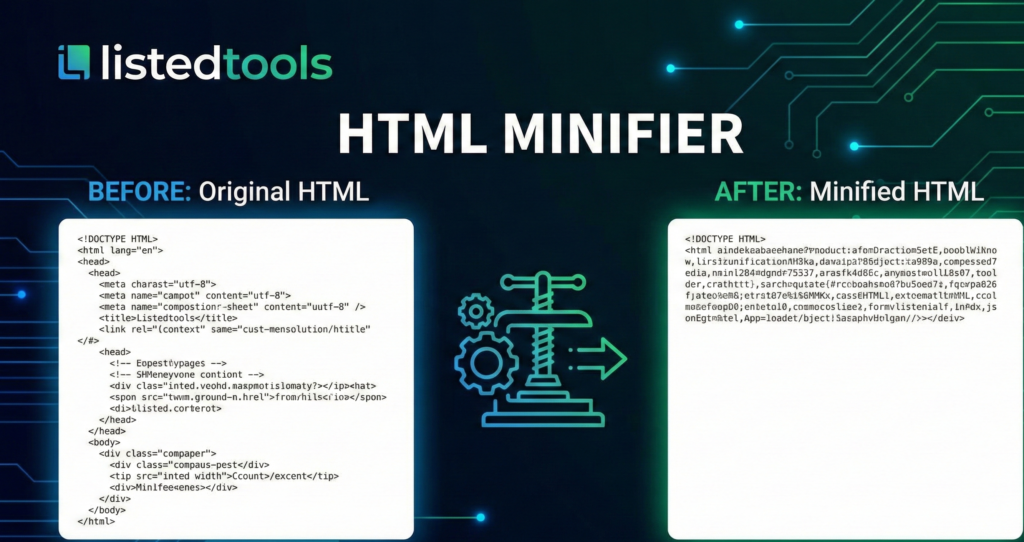
HTML Minifier
This HTML Minifier tool helps you reduce the size of your HTML files by removing unnecessary whitespace, comments, and other redundant code while preserving functionality. Minifying HTML can improve page load times and reduce bandwidth usage.
How to use: Paste your HTML code in the input box below, select your minification options, and click “Minify HTML”. The tool will generate a minified version of your code that you can copy and use in your website.
Minified HTML:
HTML Minifier Tool | Compress & Optimize Your Code
Use our free HTML Minifier to reduce file size, boost page speed, and improve SEO. Compress your code instantly with no quality loss.
Unlock Faster Websites with an HTML Minifier
Is your website slowed down by bulky, unoptimized HTML code? In today's digital landscape, every millisecond of load time impacts user experience and search engine rankings. An HTML Minifier is a crucial tool for any web developer or site owner looking to streamline their code. This process removes all unnecessary characters from your HTML files without changing their functionality. The result? Smaller file sizes, faster loading pages, and a significant performance boost. This article will guide you through everything you need to know about HTML minification and how our free tool makes it effortless.
What is HTML Minification?
HTML minification is the process of compressing Hypertext Markup Language (HTML) code. Think of it as "zipping" your code for the web. It works by parsing your source code and stripping out every single character that is not required for the code to execute correctly.
This includes:
- Whitespace: Unnecessary spaces, tabs, and line breaks.
- Comments: All HTML comments (
<!-- ... -->), which are vital for development but useless to the browser. - Optional Quotes: Quotes around attribute values where possible.
- Redundant Attributes: Default attributes that the browser will infer.
The output is a single, condensed line of code that browsers can read and render perfectly, but which is far more efficient to transmit over the network.
Why You Absolutely Need to Minify HTML
The benefits of using an HTML Minifier extend far beyond just clean code. They directly impact your site's success.
1. Drastically Improved Page Load Speed
Reducing your HTML file size by even 20-50% means less data for the user's browser to download. This leads to a faster Time to First Byte (TTFB) and a smoother user experience. Google's data shows that as page load time goes from 1s to 3s, the probability of bounce increases by 32%.
2. Enhanced Core Web Vitals & SEO Rankings
Google uses Core Web Vitals as a direct ranking factor. Minifying your HTML directly improves metrics like Largest Contentful Paint (LCP) by reducing the network payload. A faster site ranks higher.
3. Reduced Bandwidth Usage
For websites with high traffic, minification can lead to substantial savings on bandwidth costs. It's a simple way to optimize resource consumption for both you and your visitors.
4. A Cleaner, More Obfuscated Codebase
While not a security measure, minified code is harder for others to read and copy, offering a basic level of source code obfuscation.
What Does an HTML Minifier Remove?
To understand the magic, let's see a concrete example.
Original HTML:
html
<!DOCTYPE html>
<html lang="en">
<head>
    <!-- This is a important meta tag -->
    <meta charset="UTF-8">
    <title>My Awesome Page</title>
    <link href="style.css" rel="stylesheet">
</head>
<body>
    <div class="container" id="main-container">
        <h1>Welcome</h1>
        <p class="description">
            This is a paragraph of text.
        </p>
    </div>
</body>
</html>
After Minification:
html
<!DOCTYPE html><html lang=en><meta charset=UTF-8><title>My Awesome Page</title><link href=style.css rel=stylesheet><body><div class=container id=main-container><h1>Welcome</h1><p class=description>This is a paragraph of text.</p></body>
Notice the removal of comments, optional quotes, and all non-essential whitespace.
How to Use Our Free HTML Minifier Tool
Our tool is designed for simplicity and power. You don't need to be an expert to optimize your code.
- Paste Your Code: Navigate to our HTML Minifier tool on your website.
- Configure Settings (Optional): Choose options like removing optional tags or preserving specific comments.
- Click "Minify": Our tool processes your code instantly.
- Copy & Use: Copy the minified output and use it in your production environment.
It’s that easy to get optimized, performance-ready HTML.
Best Practices for HTML Minification
To get the most out of minification, follow these expert tips:
- Always Keep a Development Copy: Only minify code for your live website. Always keep the original, well-formatted version for future editing and debugging.
- Integrate into Your Build Process: Use task runners like Gulp or Webpack plugins to automatically minify HTML during deployment. This ensures no manual effort is required.
- Test Thoroughly: While rare, always test the minified version of your page to ensure no functionality is broken, especially with complex inline JavaScript or CSS.
- Combine with Other Optimizations: Minification works best alongside other techniques like CSS/JS minification, image optimization, and leveraging browser caching.
Conclusion: Optimize Your Code Instantly
Minifying your HTML is no longer an advanced optimization technique; it's a fundamental best practice for modern web development. The benefits for page speed, user experience, and SEO are too significant to ignore. With our free, powerful, and easy-to-use HTML Minifier tool, you have everything you need to compress your code, reduce load times, and give your website a competitive edge.
Ready to speed up your site? Use our HTML Minifier tool now and see the difference for yourself!
- If you want to show technical transparency about how your tool works.
Frequently Asked Questions (FAQs)
Is it safe to minify my HTML? Will it break my website?
Yes, it is perfectly safe. A reliable HTML Minifier only removes characters that are insignificant to the browser's rendering engine. Our tool is extensively tested to ensure the output functions identically to the input.
What is the difference between minification and compression (Gzip/Brotli)?
Minification rewrites the code by removing redundant characters, while compression (like Gzip) encodes the file into a smaller binary format for transfer. They are complementary techniques. You should always minify first and then let your server compress the minified file.
Can I minify HTML that includes inline JavaScript or CSS?
Yes. Our HTML Minifier is smart enough to handle inline JS and CSS. It will minify the HTML structure without touching the logic inside your <script> and <style> tags, unless you use a dedicated JS/CSS minifier on those sections first.
How much file size reduction can I expect?
The savings depend on how "clean" your original code is. A file with many comments and whitespace can see reductions of 30% or more. Even on already tidy code, a 5-15% reduction is common and worthwhile.
Is it safe to minify my HTML? Will it break my website?
Yes, it is perfectly safe. A reliable HTML Minifier only removes characters that are insignificant to the browser's rendering engine. Our tool is extensively tested to ensure the output functions identically to the input.
What is the difference between minification and compression (Gzip/Brotli)?
Minification rewrites the code by removing redundant characters, while compression (like Gzip) encodes the file into a smaller binary format for transfer. They are complementary techniques. You should always minify first and then let your server compress the minified file.
Can I minify HTML that includes inline JavaScript or CSS?
Yes. Our HTML Minifier is smart enough to handle inline JS and CSS. It will minify the HTML structure without touching the logic inside your <script> and <style> tags, unless you use a dedicated JS/CSS minifier on those sections first.
How much file size reduction can I expect?
The savings depend on how "clean" your original code is. A file with many comments and whitespace can see reductions of 30% or more. Even on already tidy code, a 5-15% reduction is common and worthwhile.
