
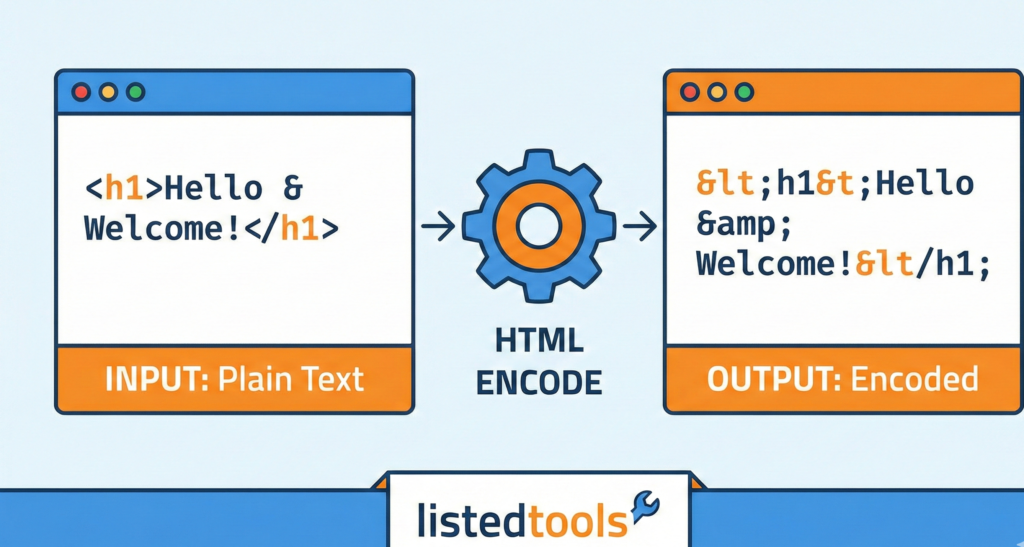
HTML Encode/Decode Tool
This HTML Encode/Decode tool helps you convert text to HTML entities and vice versa. It’s useful for ensuring special characters display correctly on web pages, preventing HTML injection, and debugging encoding issues in your web content.
How to use: Enter your text in the input box, select the operation you want to perform, and click the corresponding button. The result will appear in the output box. You can also preview how the encoded/decoded text will appear in a browser.
Common HTML Entities
Here are some commonly used HTML entities:
| Character | Entity Name | Entity Number | Description |
|---|---|---|---|
| < | < | < | Less than sign |
| > | > | > | Greater than sign |
| & | & | & | Ampersand |
| " | " | " | Double quote |
| ' | ' | ' | Single quote/apostrophe |
| |   | Non-breaking space | |
| © | © | © | Copyright symbol |
| ® | ® | ® | Registered trademark |
| ™ | ™ | ™ | Trademark symbol |
| € | € | € | Euro sign |
About HTML Encoding
HTML encoding is the process of converting special characters to their corresponding HTML entities. This is important for several reasons:
- Displaying special characters: Some characters have special meaning in HTML (like < and >) and need to be encoded to display properly.
- Preventing XSS attacks: Encoding user input helps prevent cross-site scripting (XSS) attacks by ensuring that browser doesn’t interpret the input as executable code.
- Character set compatibility: HTML entities ensure that characters display correctly regardless of the document’s character encoding.
Types of HTML Entities
HTML entities can be represented in two ways:
- Named entities: Use a name to represent the character, like < for <
- Numeric entities: Use the character’s Unicode code point, like < for <
This tool supports both encoding and decoding of HTML entities, making it easy to convert between regular text and HTML-safe text.
HTML Encode/Decode Tool | Secure Your Web Code
Free online HTML Encoder/Decoder tool. Safely convert special characters to HTML entities and vice versa. Prevent code errors & XSS attacks instantly.
Why You Need an HTML Encode/Decode Tool
Have you ever tried to display a less-than sign (<) on your webpage, only to have it break your entire layout? This common frustration highlights a critical need in web development: handling special characters safely. An HTML Encode/Decode Tool is the essential solution for developers, content creators, and SEO specialists. It ensures that your text displays correctly and your website remains secure from malicious attacks. This guide will explain how HTML encoding and decoding works and why our free, instant tool is indispensable for your workflow.
What is HTML Encoding?
HTML encoding converts reserved and special characters into their corresponding HTML entities. These entities are a string of text that the browser interprets and displays as the desired symbol.
This process is crucial because characters like <, >, and & have specific meanings in HTML syntax. If you want to display them as text, you must encode them.
Example of Encoding:
- Original Text:
"The price is < $100 & > $50." - After HTML Encoding:
"The price is < $100 & > $50."
The encoded version ensures the browser displays the symbols correctly instead of treating them as code.
What is HTML Decoding?
HTML decoding is the reverse process. It converts HTML entities back into their original, human-readable characters. This is vital when you have encoded text that you need to edit or understand at a glance.
Example of Decoding:
- Encoded Text:
"John & Jane's website" - After HTML Decoding:
"John & Jane's website"
Decoding makes the text editable and readable again, restoring the original symbols.
Top 5 Reasons to Use an HTML Encoder/Decoder
- Prevent Code Injection & XSS Attacks
Encoding user-generated content before displaying it on your site is a primary defense against Cross-Site Scripting (XSS) attacks. It neutralizes potentially harmful scripts by converting them into harmless text. - Ensure Content Displays Correctly
Avoid layout breaks and display errors by encoding special characters. This guarantees that your content looks exactly as you intended, from mathematical symbols to quotations. - Improve Code Validation and Cleanliness
Using encoded entities helps your HTML code pass validation checks. It creates cleaner, more standards-compliant markup that works reliably across all browsers. - Simplify Content Management
When you need to copy text from a webpage into a code editor or database, decoding it first removes the entities, giving you clean, editable text. - Enhance Data Integrity
When transferring data between a server and a client, encoding ensures that the structure and meaning of the data are preserved without interfering with the DOM.
Common HTML Entities You Should Know
Understanding common entities helps you debug and write better code.
| Character | Entity Name | Entity Number | Purpose |
|---|---|---|---|
| < | < | < | Less-than sign |
| > | > | > | Greater-than sign |
| & | & | & | Ampersand |
| “ | " | " | Double quotation mark |
| ‘ | ' | ' | Apostrophe/single quote |
| © | © | © | Copyright symbol |
How to Use Our HTML Encode/Decode Tool
Our tool is designed for maximum efficiency and ease of use.
- Access the Tool: Navigate to the HTML Encode/Decode Tool on our website.
- Paste Your Text: Input your string of text or code into the provided textarea.
- Select Action: Choose whether to Encode or Decode.
- Convert: Click the “Encode” or “Decode” button. The conversion is instantaneous.
- Copy Result: Use the “Copy” button to easily grab the converted text for your project.
It’s a straightforward process that saves you time and prevents manual errors.
Conclusion: Handle Your Web Content with Confidence
Mastering the use of HTML encoding and decoding is a fundamental skill for creating secure, robust, and professional websites. It protects your site from attacks, ensures content integrity, and solves common display issues. Manually converting characters is tedious and error-prone.
Let our free HTML Encode/Decode Tool handle the complexity for you. Ensure your code is secure and your content is perfect—try it now!
- W3C Character Entity Reference, official HTML character chart
Frequently Asked Questions (FAQs)
What is the difference between HTML encoding and URL encoding?
HTML encoding is for making text safe within HTML content (using entities like &). URL encoding (or percent-encoding) is for making text safe within a URL (using codes like %20 for a space). They serve different purposes.
Is it safe to decode any HTML-encoded string?
You should only decode strings that you trust. Decoding untrusted user input can reintroduce security risks, like XSS vulnerabilities, if that input was previously encoded for safety.
Does HTML encoding protect my website from all hackers?
While HTML encoding is a critical first line of defense against XSS attacks, it is not a silver bullet. A comprehensive security strategy should also include validation, sanitization, and other security headers.
Should I encode my entire HTML document?
No. You should only encode the text content within the HTML tags and attribute values that need it. Encoding the entire document, including the tags themselves (<html>), would break it, as the browser would not be able to parse the structure.
What is the difference between HTML encoding and URL encoding?
HTML encoding is for making text safe within HTML content (using entities like &). URL encoding (or percent-encoding) is for making text safe within a URL (using codes like %20 for a space). They serve different purposes.
Is it safe to decode any HTML-encoded string?
You should only decode strings that you trust. Decoding untrusted user input can reintroduce security risks, like XSS vulnerabilities, if that input was previously encoded for safety.
Does HTML encoding protect my website from all hackers?
While HTML encoding is a critical first line of defense against XSS attacks, it is not a silver bullet. A comprehensive security strategy should also include validation, sanitization, and other security headers.
Should I encode my entire HTML document?
No. You should only encode the text content within the HTML tags and attribute values that need it. Encoding the entire document, including the tags themselves (<html>), would break it, as the browser would not be able to parse the structure.
