
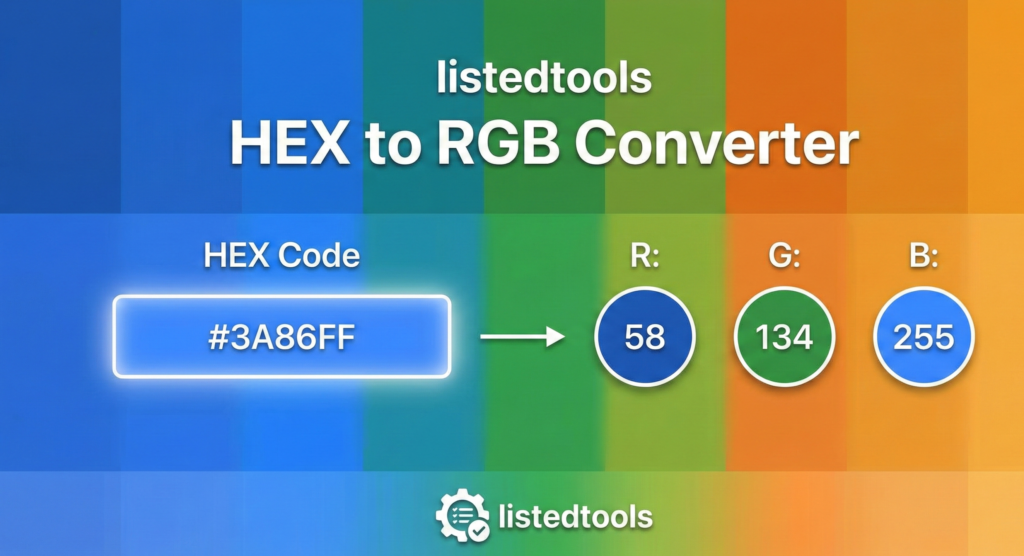
HEX to RGB Converter
About this tool: This converter allows you to quickly transform HEX color codes (#RRGGBB format) into RGB color values that can be used in CSS.
How to use: Enter a HEX color code (with or without the # symbol) and click “Convert” to see the equivalent RGB values and a preview of the color.
HEX to RGB Color Converter | Web Design Tool
Instantly convert HEX color codes to RGB values with our free online tool. Perfect for web design, CSS, and digital projects. Accurate and easy to use.
Master Color Conversion with a HEX to RGB Converter
Have you ever found the perfect color online only to discover it’s in a format your design software doesn’t understand? Bridging the gap between different color codes is a fundamental task for web designers and developers. A HEX to RGB Converter is an essential utility that translates hexadecimal color values into the Red, Green, Blue (RGB) format used in CSS and various design applications. This article will explain why this conversion is crucial and how our tool simplifies your workflow, ensuring pixel-perfect color matching every time.
What are HEX and RGB Color Codes?
Understanding the difference between these two color models is the first step to mastering digital design HEX to RGB Converter.
HEX Color Codes:
A HEX color code is a six-digit hexadecimal number used in web design. It starts with a hash (#) and combines three two-digit pairs representing the red, green, and blue components.
- Format:
#RRGGBB - Example:
#ff0000is pure red.
RGB Color Values:
The RGB color model defines a color based on its intensity of Red, Green, and Blue light. Each value ranges from 0 to 255.
- Format:
rgb(255, 0, 0) - Example:
rgb(255, 0, 0)is also pure red.
Both represent the same spectrum of colors but in different syntaxes.
Why Convert HEX to RGB? 4 Key Reasons
Converting color values is more than a technical step; it’s a practical necessity for many projects.
- CSS and Web Development
Modern CSS supports both HEX and RGB, but RGB offers a significant advantage: thergba()function. This allows you to set opacity (transparency), which is impossible with a standard HEX code. - Design Software Compatibility
Some advanced graphic design and video editing tools prefer or require RGB values for color adjustments and layer effects. Converting HEX ensures your colors are consistent across all platforms. - Data Visualization and Programming
When working with libraries like D3.js or Python’s Matplotlib, colors are often manipulated programmatically using RGB tuples, making conversion from HEX a common task. - Accuracy and Precision
Converting a HEX code to RGB gives you a precise, numerical breakdown of the color’s composition. This is invaluable for fine-tuning shades and creating harmonious color palettes.
How to Convert HEX to RGB Manually
While our tool automates this, knowing the manual process provides a deeper understanding.
- Take a HEX code:
#4a90e2 - Break it into three pairs:
4a(Red),90(Green),e2(Blue). - Convert each hexadecimal pair to its decimal equivalent.
4ain hex = 74 in decimal90in hex = 144 in decimale2in hex = 226 in decimal
- Combine into an RGB value:
rgb(74, 144, 226)
This process clearly shows why an automatic HEX to RGB Converter is a major time-saver.
How to Use Our Free HEX to RGB Converter Tool
Our tool is built for speed, accuracy, and simplicity.
- Locate the Tool: Find the HEX to RGB Converter on our website.
- Enter Your HEX Value: Input your color code into the field. You can type it with or without the hash (
#ff5733orff5733). - Convert: Click the “Convert” button. The result is displayed instantly.
- Copy the Result: The RGB value (and often RGBA) is presented in a copy-friendly format. Use it directly in your CSS or design software.
The entire process takes less than a second, eliminating any risk of manual calculation errors.
Practical Example: From HEX to RGBA
This is where the true power of conversion shines. Let’s create a semi-transparent blue background.
- HEX Code:
#1e88e5 - Converted to RGB:
rgb(30, 136, 229) - Used in CSS with Opacity:
background-color: rgba(30, 136, 229, 0.7);
The 0.7 represents 70% opacity, an effect you cannot achieve with the HEX code alone.
Conclusion: Streamline Your Design Workflow
Converting between HEX and RGB is a non-negotiable skill in digital design and development. It ensures color consistency, enables advanced styling with transparency, and improves compatibility across different software. Manually calculating these values is an inefficient use of your valuable time.
Stop calculating and start creating. Use our instant HEX to RGB Converter tool to get accurate color values in a click—try it for free today!
- Adobe is the giant of the design world. Linking here shows your tool is part of the broader professional design ecosystem.
Frequently Asked Questions (FAQs)
What is the difference between RGB and RGBA?
RGB defines solid colors using three values (Red, Green, Blue). RGBA adds a fourth value, the Alpha channel, which controls the opacity of the color, ranging from 0.0 (fully transparent) to 1.0 (fully opaque).
Can I convert RGB back to HEX?
Yes! The process is fully reversible. Our tool website likely also has a dedicated RGB to HEX converter for this specific purpose.
Why is my HEX code only 3 digits long?
A 3-digit HEX code is a shorthand version. Each digit is duplicated to form the full 6-digit code. For example, #f06 becomes #ff0066. Our converter can handle both 3-digit and 6-digit inputs.
Are HEX and RGB colors the same across all browsers?
For the most part, yes. Both HEX and RGB are standard color formats that are consistently rendered by all modern web browsers.
What is the difference between RGB and RGBA?
RGB defines solid colors using three values (Red, Green, Blue). RGBA adds a fourth value, the Alpha channel, which controls the opacity of the color, ranging from 0.0 (fully transparent) to 1.0 (fully opaque).
Can I convert RGB back to HEX?
Yes! The process is fully reversible. Our tool website likely also has a dedicated RGB to HEX converter for this specific purpose.
Why is my HEX code only 3 digits long?
A 3-digit HEX code is a shorthand version. Each digit is duplicated to form the full 6-digit code. For example, #f06 becomes #ff0066. Our converter can handle both 3-digit and 6-digit inputs.
Are HEX and RGB colors the same across all browsers?
For the most part, yes. Both HEX and RGB are standard color formats that are consistently rendered by all modern web browsers.
