
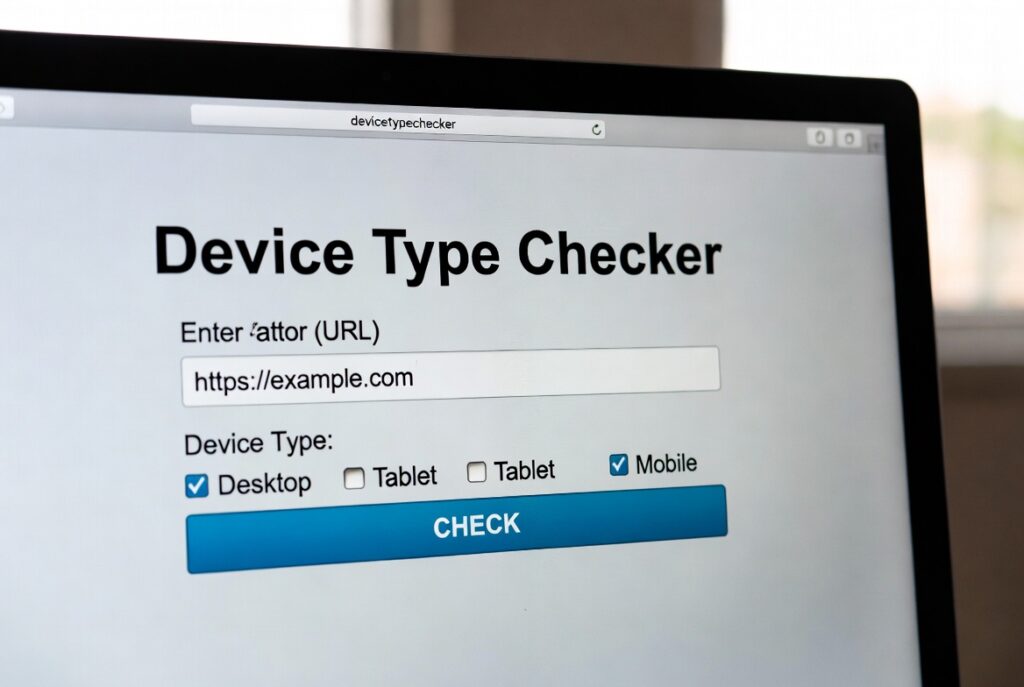
Device Type Checker
This tool analyzes your current device and browser to determine what type of device you’re using (desktop, mobile, tablet), along with detailed specifications about your system and browser capabilities.
How to use: Simply view this page and your device information will be automatically detected and displayed. Click “Refresh Data” if you want to update the information.
Device Type Checker | What Device Am I Using?
Instantly detect your device type, browser, and operating system with our free tool. Perfect for web developers, designers, and tech support.
Identify Your Device in Seconds with a Device Type Checker
Ever wondered exactly what device or browser you’re using? Whether you’re a developer testing website compatibility, a designer optimizing user experience, or someone troubleshooting tech issues, knowing your exact device specifications is crucial. A Device Type Checker is an essential online tool that instantly reveals your device’s make, model, browser, operating system, and screen resolution. This comprehensive guide will show you how this powerful tool works and why it’s indispensable for modern digital workflows.
What is a Device Type Checker?
A Device Type Checker is a web-based tool that analyzes your device’s user agent and other technical signatures to identify its specifications. It provides detailed information about your hardware and software configuration without requiring any installation or technical expertise.
The tool typically detects:
- Device type (desktop, tablet, mobile, smart TV)
- Operating system and version
- Web browser and version
- Screen resolution and dimensions
- IP address and location data
- JavaScript and cookie support
Why You Need to Check Your Device Type
Understanding your device specifications provides numerous practical benefits:
Web Development and Testing
Ensure your website or application renders correctly across different devices and browsers.
Technical Support
Quickly provide accurate device information when seeking help for software or hardware issues.
User Experience Optimization
Designers can create better experiences by understanding their audience’s device capabilities.
Security Monitoring
Detect unfamiliar devices accessing your accounts and identify potential security threats.
Market Research
Businesses can analyze what devices their customers use most frequently.
What Information Does a Device Type Checker Reveal?
Our comprehensive tool provides detailed insights into your device’s configuration:
Hardware Information
- Device manufacturer and model
- Screen resolution and pixel density
- CPU architecture and capabilities
- Input methods (touchscreen, keyboard, mouse)
Software Details
- Operating system name and version
- Web browser type and version
- JavaScript engine information
- Supported media types and codecs
Network Information
- IP address and approximate location
- Connection type and speed
- Language and regional settings
How to Use Our Free Device Type Checker
Our tool makes device detection simple and accessible:
- Visit the Tool Page
Navigate to our Device Type Checker tool on our website - Automatic Detection
The tool immediately begins analyzing your device without any input required - Review Results
View comprehensive information about your device in an easy-to-read format - Share or Save Information
Copy the results for technical support or future reference
The entire process takes seconds and requires no technical knowledge.
Common Device Detection Scenarios
Web Development
“Will my responsive design work on this specific tablet model?”
Use the device checker to verify screen dimensions and browser capabilities.
E-commerce Optimization
“What devices are my customers using to shop?”
Test your checkout process on the most common visitor devices.
App Development
“Which OS versions should I support?”
Check market share and device capabilities for different operating systems.
Content Creation
“What resolution should I optimize images for?”
Understand the most common screen sizes among your audience.
Understanding User Agent Strings
Device detection works by analyzing the user agent string – a text string that browsers send to websites identifying themselves. Our tool decodes this technical information into human-readable format.
Example user agent breakdown:
- Mozilla/5.0 (Windows NT 10.0; Win64; x64)
- AppleWebKit/537.36 (KHTML, like Gecko)
- Chrome/91.0.4472.124 Safari/537.36
Our tool translates this into: “Windows 10 computer using Chrome browser”
Conclusion: Take Control of Your Digital Experience
Understanding your device’s capabilities and specifications is the first step toward optimizing your digital experience. Whether you’re a developer creating cross-platform applications, a designer ensuring responsive layouts, or simply a user troubleshooting technical issues, a Device Type Checker provides the essential information you need.
Checkout Our new Days Between Dates Calculator tool here….
Ready to discover your device’s full specifications? Use our free Device Type Checker now to get detailed insights about your hardware and software configuration!
Frequently Asked Questions (FAQs)
Is using a Device Type Checker safe?
Yes, our tool only reads publicly available information that your browser shares with every website you visit. No personal data is stored or shared.
Why would I need to know my device type?
This information is essential for troubleshooting technical issues, optimizing website design, ensuring software compatibility, and providing accurate details to support teams.
Can the Device Type Checker detect my exact location?
The tool can determine your approximate location based on IP address, but this is typically accurate only to the city level and doesn’t reveal your specific address.
Why do different Device Checkers show slightly different information?
Various tools may interpret user agent strings differently or focus on different aspects of device detection. Our tool provides the most comprehensive and accurate analysis available.
Is using a Device Type Checker safe?
Yes, our tool only reads publicly available information that your browser shares with every website you visit. No personal data is stored or shared.
Why would I need to know my device type?
This information is essential for troubleshooting technical issues, optimizing website design, ensuring software compatibility, and providing accurate details to support teams.
Can the Device Type Checker detect my exact location?
The tool can determine your approximate location based on IP address, but this is typically accurate only to the city level and doesn’t reveal your specific address.
Why do different Device Checkers show slightly different information?
Various tools may interpret user agent strings differently or focus on different aspects of device detection. Our tool provides the most comprehensive and accurate analysis available.
