
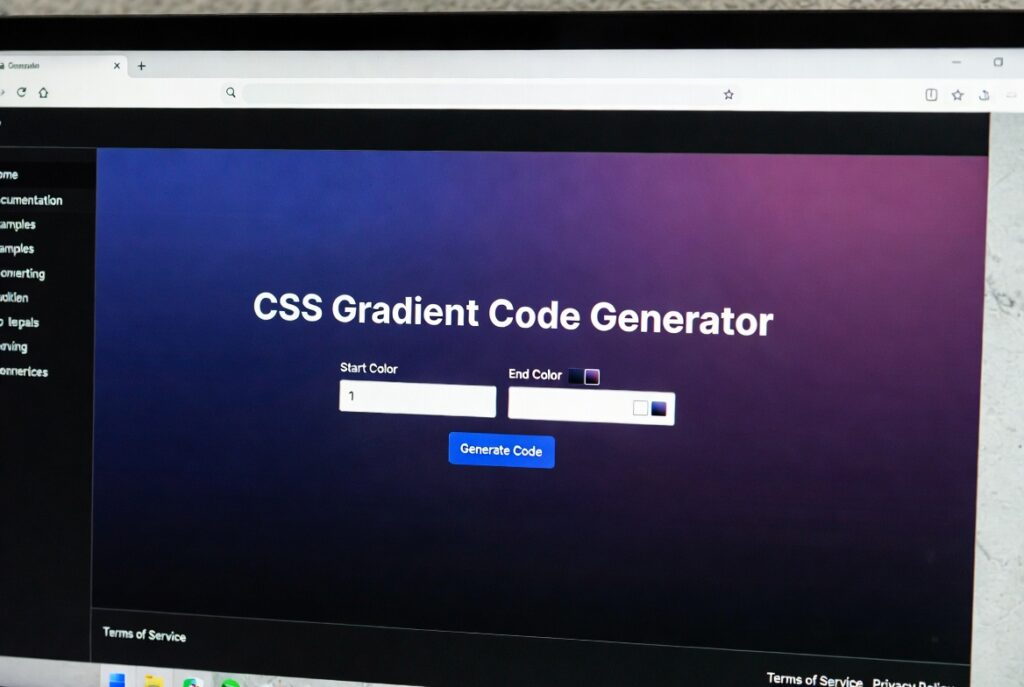
CSS Gradient Code Generator
About this tool: Create beautiful CSS gradients with live preview. Choose from linear, radial, or conic gradient types, adjust colors, positions, and other properties to design perfect gradients for your website.
How to use: Select a gradient type, add color stops, and adjust their positions. Rotate the angle for linear gradients or adjust settings for radial/conic types. Copy the generated CSS code to use in your projects.
background: linear-gradient(90deg, #3498db 0%, #9b59b6 100%);
CSS Minifier | Compress CSS Files Online – Free Tool
Free online CSS Minifier tool. Reduce CSS file size by 60%+, remove comments & whitespace. Boost website speed and performance instantly.
Transform Your Website Speed with CSS Minification
Are your CSS files slowing down your website and hurting user experience? Large, unoptimized stylesheets are one of the most common performance bottlenecks. A CSS Minifier is the essential solution for web developers, designers, and site owners who want to maximize their website’s speed. This powerful tool automatically removes unnecessary characters from your CSS code, dramatically reducing file size while maintaining full functionality. Discover how CSS minification can revolutionize your website performance and why our free tool makes optimization effortless.
What is CSS Minification and How Does It Work?
CSS minification is the process of compressing Cascading Style Sheets by eliminating all redundant characters that aren’t required for execution. This includes whitespace, comments, and unnecessary formatting that make code human-readable but inefficient for browsers.
The minification process targets:
- Whitespace removal (spaces, tabs, line breaks)
- Comment elimination (all /* */ comments)
- Formatting optimization (redundant semicolons, shorthand properties)
- Value compression (color code shortening, zero value optimization)
- Selector optimization (removing unnecessary specificity)
5 Critical Benefits of CSS Minification
1. Dramatic File Size Reduction
Minification typically reduces CSS file size by 30-70%. A 50KB file can become just 15-35KB, significantly decreasing download time.
2. Improved Page Load Speed
Faster CSS parsing means browsers render pages quicker. Studies show that 1-second delay reduces conversions by 7%.
3. Enhanced Core Web Vitals
Google prioritizes fast-loading sites. Minified CSS directly improves LCP (Largest Contentful Paint) scores.
4. Reduced Bandwidth Costs
Smaller files mean less data transfer, crucial for high-traffic sites and mobile users with data limits.
5. Better Search Engine Rankings
Google’s page experience update makes site speed a direct ranking factor.
Before and After: CSS Minification Example
Original CSS (1.2KB):
css
/* Main navigation styles */
.navigation-menu {
    margin: 0px;
    padding: 15px 20px 15px 20px;
    background-color: #ffffff;
    font-family: "Helvetica Neue", Arial, sans-serif;
    border-radius: 5px;
}

/* Primary button styling */
.btn-primary {
    color: #000000;
    background-color: #ff0000;
    border: none;
    font-size: 16px;
    line-height: 1.5;
}
Minified CSS (450 bytes – 62% reduction):
css
.navigation-menu{margin:0;padding:15px 20px;background-color:#fff;font-family:"Helvetica Neue",Arial,sans-serif;border-radius:5px}.btn-primary{color:#000;background-color:red;border:none;font-size:16px;line-height:1.5}
How to Use Our Free CSS Minifier Tool
Our streamlined process makes optimization simple:
- Access the Tool – Navigate to our CSS Minifier page
- Paste Your CSS – Input your raw CSS code into the text area
- Configure Settings – Choose compression level and options
- Generate Minified CSS – Click “Minify” for instant results
- Implement – Copy the optimized code to your project
The entire process takes under 10 seconds with no technical expertise required.
Advanced Minification Techniques
Selective Comment Preservation
Keep important comments (like license headers) using /*! notation while removing others.
CSS Variable Optimization
Minify CSS custom properties while maintaining their functionality across your stylesheet.
Media Query Compression
Optimize media queries and conditional styles without breaking responsive behavior.
Source Map Generation
Create source maps for easier debugging of minified production code.
CSS Minification Best Practices
1. Maintain Source Files
Always keep original, well-commented CSS files for development. Only deploy minified versions.
2. Implement Gzip Compression
Combine minification with server-side Gzip compression for maximum size reduction.
3. Use Build Automation
Integrate minification into your workflow with Gulp, Webpack, or Grunt for automatic processing.
4. Test Thoroughly
Always verify that minified CSS renders correctly across browsers and devices.
5. Monitor Performance
Use tools like Google PageSpeed Insights to measure the impact of optimization.
Common CSS Minification Myths Debunked
Myth: Minification breaks CSS functionality
Truth: Proper minification only removes unnecessary characters, preserving all functionality.
Myth: The savings aren’t significant
Truth: Most sites save 30-70% on CSS file size, directly improving load times.
Myth: It’s too technical for beginners
Truth: Our tool makes minification accessible to users of all skill levels.
Myth: Manual optimization is better
Truth: Automated tools are more consistent and thorough than manual editing.
Conclusion: Optimize Your CSS for Peak Performance
CSS minification is no longer optional—it’s an essential practice for anyone serious about website performance. The benefits for loading speed, user experience, and SEO are too significant to ignore. With our free, instant CSS Minifier tool, you can optimize your stylesheets in seconds and join the ranks of high-performance websites.
checkout our new tool CSS Button Generator here….
Ready to accelerate your website? Use our CSS Minifier tool now and experience the immediate boost in performance and user satisfaction!
Frequently Asked Questions (FAQs)
Is CSS minification safe for my website?
Yes, when using a reliable tool. The process only removes unnecessary characters without altering functionality. Always test before deployment.
How much file size reduction can I expect?
Typically 30-70% reduction, depending on your original code structure and comments.
Should I minify all CSS files?
Yes, minify all CSS served to users including frameworks, libraries, and custom stylesheets.
Can I reverse minified CSS?
While formatting can be restored with beautifiers, original comments are permanently removed. Keep source files safe.
Is CSS minification safe for my website?
Yes, when using a reliable tool. The process only removes unnecessary characters without altering functionality. Always test before deployment.
How much file size reduction can I expect?
Typically 30-70% reduction, depending on your original code structure and comments.
Should I minify all CSS files?
Yes, minify all CSS served to users including frameworks, libraries, and custom stylesheets.
Can I reverse minified CSS?
While formatting can be restored with beautifiers, original comments are permanently removed. Keep source files safe.
