
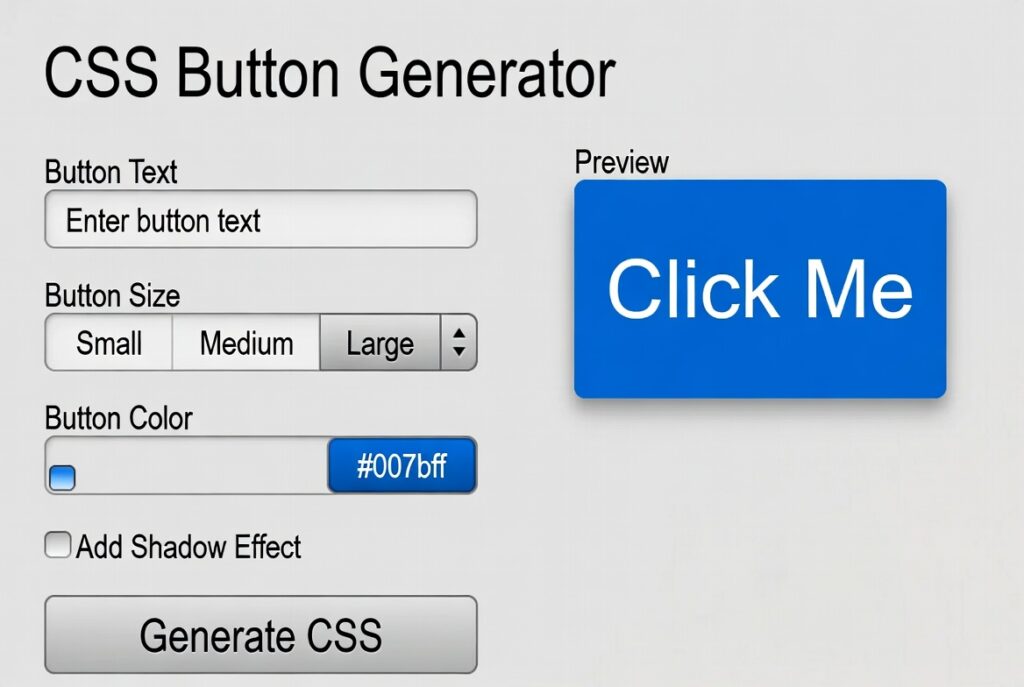
CSS Button Generator
About this tool: Create custom CSS buttons with live preview. Adjust various properties like size, color, border, shadow, and hover effects to design the perfect button for your website.
How to use: Use the controls to customize your button’s appearance. As you make changes, you’ll see a live preview of your button. When you’re satisfied, copy the generated CSS code to use in your projects.
Preview
CSS Code
.custom-button {
    background-color: #4CAF50;
    color: #ffffff;
    width: 150px;
    height: 40px;
    padding: 10px;
    border-radius: 4px;
    font-size: 16px;
    font-weight: bold;
    border: none;
    cursor: pointer;
    transition: all 0.3s ease;
}

.custom-button:hover {
    background-color: #45a049;}
Introduction:
Ever wasted half an hour just fiddling with a button’s padding, colors, or drop shadow? Yeah, you’re definitely not the only one. Buttons aren’t just decoration—they’re key for user experience and can make or break your conversion rates. But hand-coding them? That eats up your time fast. That’s where a CSS Button Generator comes in. It’s a free online tool that takes your design tweaks and spits out polished, ready-to-use code in seconds.
If you’re a developer, marketer, or designer, this tool is a lifesaver. It bridges the gap between your creative ideas and actual code. Whether you need a bold call-to-action, a subtle form button, or something with a bit of animation, the generator does most of the work. Let’s dig into how you can use one to quickly boost your site’s style and interactivity.
So, what is a CSS Button Generator, really? Picture an online tool with a visual editor. You mess with sliders and color pickers—change the size, color, border, whatever—and see the results instantly. With a single click, it gives you the HTML and CSS you need. No more guessing, no more endless tweaking. It’s basically rapid prototyping for your site’s buttons. The best generators spit out clean, responsive code that looks great everywhere—from your phone to your desktop.
What should a good CSS Button Generator actually offer? Not all are created equal, so here’s what to look for:
- Live Preview: Watch your changes happen in real-time.
- Full Style Controls: Change background and text color, borders, border radius, padding, font size—everything you need for a custom look.
- Hover and Active States: Tweak how your button reacts when people interact with it. This feedback makes a big difference.
- Box and Text Shadows: Add some depth for a more modern, professional vibe.
- Responsive Sizing: Your button should look good on every device, not just your laptop.
- Clean Code Output: No messy, bloated CSS—just efficient, readable code.
- Multiple Button Types: Want a ghost button, a gradient, or maybe one with an icon? A good generator handles them all.
Ready to try it? Here’s how you make a button in just four steps:
- Set the Base Style. Pick your background color, text color, font—it’s the foundation. Use your brand colors to keep things consistent.
- Add Spacing and Borders. Adjust padding to get the size and feel right. Set the border’s color, thickness, and style. Use border-radius for those smooth, rounded corners that feel fresh and friendly.
- Design Interactive States. This is the secret sauce for great UX. Switch to the hover state and play with colors or shadows—these little details make your button feel alive. For extra polish, tweak the active state too.
- Copy and Implement. Happy with the preview? Hit “Get Code” or “Generate CSS.” You’ll see two code blocks—one for HTML, one for CSS. Copy, paste, done. Your custom button is ready to go live.
Why bother using a CSS Button Generator? Here’s the payoff:
- It saves you a ton of time. Seriously, you’ll go from minutes or hours to just seconds per button.
- You get a consistent look across your site. No more mismatched buttons.
- The code is clean, efficient, and works across browsers—less debugging for you.
- Non-coders can use it too. Designers and marketers don’t have to touch a line of CSS.
- You can experiment fast. Try different colors, shadows, or sizes, see what looks best, and what actually gets users to click—without committing to any code until you’re sure.
In short, a CSS Button Generator makes buttons easy, fast, and reliably good-looking. It’s a no-brainer for anyone building websites.
Checkout our new tool css box shadow generator here….
FAQs
Is the code from a CSS Button Generator efficient?
Yes, reputable generators produce clean, minimal CSS. It’s often more efficient than code written by beginners, as it avoids redundant properties and uses modern CSS techniques.
Can I create gradient or animated buttons?
Advanced generators offer gradient editors and basic animation controls (like pulse or fill effects). For complex animations, you may need to supplement the generated code with additional keyframes.
Are these tools really free to use?
The vast majority of basic CSS Button Generators are completely free. Some may offer premium features or a paid API for high-volume usage, but the core functionality is generally free.
How is this different from a WordPress plugin?
A CSS generator gives you raw, portable code you can use on any website (HTML, React, Vue, etc.). A WordPress plugin is tied to the WordPress ecosystem and often works through a page builder interface.
