
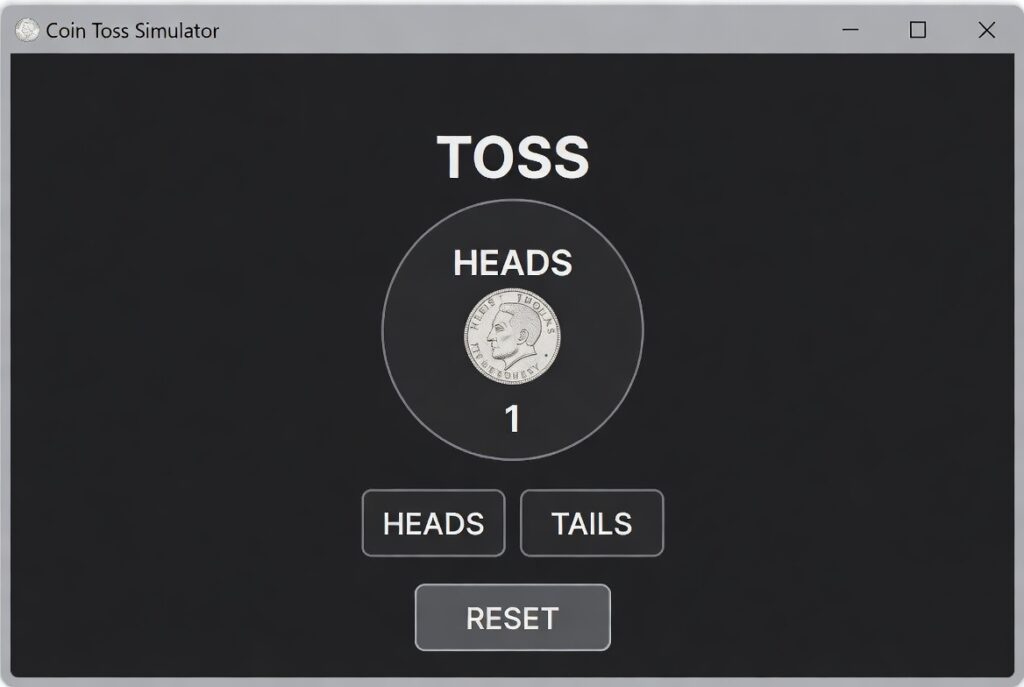
Coin Toss Simulator
Flip a fair or weighted coin, with animation, stats, and history.
Introduction:
Heads or tails? It’s such a simple question, but it’s settled arguments, kicked off games, and introduced a lot of us to the basics of probability. Sometimes, though, you don’t have a coin handy—or maybe you want to run thousands of flips to really get a sense of how randomness works. That’s where the Coin Toss Simulator comes in. It takes this classic idea and updates it for the digital age, making fair, instant, and truly random results available at the click of a button.
A virtual coin toss cuts out any bias, delivers authentic randomness every time, and lets you do things you could never pull off with a real coin—like flipping a whole batch at once. Maybe you’re stuck on a tricky choice, teaching probability to a classroom, or testing out game logic. Either way, the simulator gives you quick, trustworthy results you can actually check. It’s a surprisingly powerful tool for decision-making, learning, or just satisfying your curiosity about randomness.
So, what’s a Coin Toss Simulator, really? Picture a web tool built around a pseudo-random number generator (PRNG), seeded from unpredictable system data. Basically, it mimics the experience of flipping a real coin, but goes further. You can run as many flips as you want, track the stats as you go, and even get visual feedback that a real coin just can’t provide.
At its heart, the simulator tackles the core question: what happens in a perfectly random, 50/50 event? It sticks to the theoretical probabilities and lets you see randomness in action, whether you’re flipping once or a million times. Suddenly, abstract statistical ideas become something you can actually see and play with.
A good coin toss simulator doesn’t just mimic a coin landing. Here’s what the best ones bring:
— Realistic 3D animation: Watch the coin flip, spin, and land—just like the real thing.
— Batch simulation: Flip 10, 100, or 10,000 coins in one shot and see the results instantly.
— Live stats: Get automatic counts, percentages, and totals as you go.
— Fairness checks: See how the results trend toward an even split, showing off the Law of Large Numbers.
— Customization: Pick your coin design, mess with flip speed, or even set up a biased coin for teaching.
— History log: Scroll through every past result.
— Sound and haptics: Optional effects to make the experience feel real.
Getting started is easy, but how you use the simulator really depends on what you want to do. Here’s a simple three-step guide:
Step 1: Set it up
Are you making a single decision, or running an experiment? For just one flip, jump right in. For lots of flips, use the batch selector—100 flips, 1,000, whatever you like. If you’re teaching, you can even adjust the “bias” setting to see how a weighted coin behaves.
Step 2: Flip the coin
Just hit the big “Flip Coin” button. For a single toss, enjoy the animation. For big batches, the simulator handles everything in the blink of an eye. You’ll see a clear result—heads or tails—with a big coin icon to match.
Step 3: Check your results
This is where things get interesting. After your flips, look at the stats panel.
— One flip? The tally updates automatically.
— Batch flips? You’ll see a breakdown—maybe 47 heads and 53 tails out of 100, for example. You’ll notice that small numbers can swing wildly, but as you pile up more flips, things even out, and you can actually watch the stats home in on that 50/50 split. It’s a hands-on way to see probability and randomness in action.
Checkout our new tool Click Speed Test here…..
FAQs
How many times should I flip to get exactly 50/50?
You may never get exactly 50/50. Probability deals with expected outcomes, not guaranteed ones. The Law of Large Numbers states that as the number of flips approaches infinity, the ratio will converge to 50/50. With 1,000 flips, you’ll likely be within 2-3%. This is a key lesson the simulator teaches perfectly.
Is a digital flip fairer than a physical flip?
In theory, yes. A physical coin flip can have minute biases due to weight distribution, flipping technique, or air resistance. A well-programmed digital simulator uses a robust random algorithm that has no bias toward heads or tails, making it mathematically “fairer.”
Can I use this to make important life decisions?
The simulator provides a perfectly random outcome, which is excellent for breaking a tie between two equally weighted options. However, for significant life choices, it should be a tool for inspiration or breaking deadlock thinking, not a replacement for careful consideration.
What is the probability of getting 5 heads in a row?
The chance of heads on one flip is 1/2 (50%). Each flip is independent. Therefore, the probability of 5 heads in a row is (1/2)^5 = 1/32, or about 3.125%. The batch simulation feature is perfect for testing how often such streaks actually occur in large data sets.
