
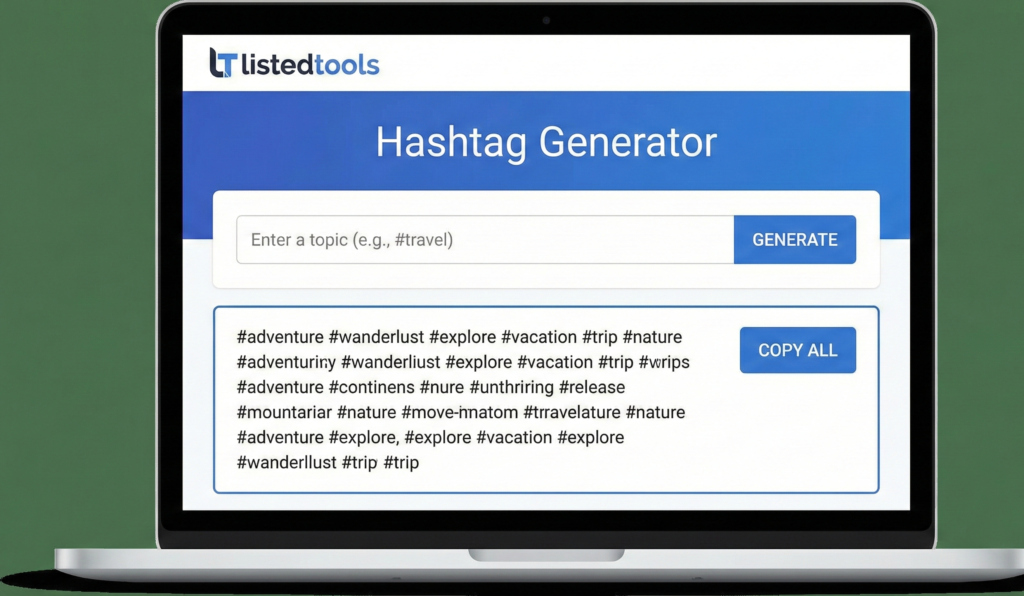
Hashtag Generator
Generate relevant and trending hashtags for your social media posts to increase visibility and engagement. This tool creates custom hashtags based on your content.
Instagram allows up to 30 hashtags per post. Use a mix of popular, niche, and branded hashtags for best results.
Twitter has limited characters, so use 1-2 highly relevant hashtags. Focus on trending topics and your niche.
TikTok hashtags help categorize content. Use trending hashtags and niche-specific ones for better discovery.
LinkedIn is professional, so use 3-5 industry-relevant hashtags. Avoid excessive tagging.
Generating relevant hashtags…
Generated Hashtags:
Tips for Using Hashtags:
- Click on individual hashtags to select/deselect them
- Mix popular and niche hashtags for better reach
- Instagram allows up to 30 hashtags per post
- Twitter works best with 1-2 highly relevant hashtags
- Refresh your hashtags regularly to keep content discoverable
- Research competitor hashtags for ideas
Free Hashtag Generator | Boost Social Media Reach
Generate high-performing, relevant hashtags instantly with our free tool. Increase your social media engagement and visibility on Instagram, Twitter, and TikTok.
Maximize Your Social Media Impact with a Hashtag Generator
Are your social media posts getting lost in the noise? Using the right hashtags is one of the most powerful ways to increase your visibility and connect with your target audience. But finding trending and relevant hashtags can be time-consuming. A Hashtag Generator is the ultimate solution for content creators, marketers, and businesses. This intelligent tool analyzes your content and instantly suggests the best hashtags to amplify your reach. This guide will show you how to leverage hashtags effectively and why our generator is a game-changer for your social strategy.
What is a Hashtag Generator and How Does It Work?
A Hashtag Generator is an online tool designed to provide you with a list of targeted hashtags based on your input. You simply enter a keyword, topic, or even a full sentence describing your post.
The tool then uses algorithms to:
- Identify core themes and related terms.
- Pull data on hashtag popularity and relevance.
- Suggest a mix of broad and niche hashtags.
- Help you avoid banned or spammy tags.
This process ensures you use a balanced set of hashtags that maximizes discoverability.
Why Your Social Strategy Needs a Hashtag Generator
Manually guessing hashtags is inefficient and often ineffective. Here’s why a generator is essential:
- Saves Time and Effort
Instead of spending minutes brainstorming, get a curated list of hashtags in seconds. This allows you to focus on creating great content. - Discovers New and Niche Hashtags
A good generator uncovers relevant hashtags you wouldn’t have thought of, helping you tap into new communities and audiences. - Improves Engagement Rates
Posts with relevant, targeted hashtags can see up to 12.6% more engagement than those without. Using a generator directly contributes to this growth. - Keeps You Updated on Trends
Social media trends change rapidly. A generator helps you stay current with trending and seasonal hashtags in your industry. - Prevents Hashtag Mistakes
It helps you avoid common pitfalls like using too many hashtags, irrelevant tags, or accidentally using banned hashtags that can shadowban your content.
The Perfect Hashtag Strategy: Types of Hashtags to Use
A powerful hashtag strategy uses a mix of different types. Our Hashtag Generator helps you find all of these:
- Broad Hashtags: High-volume tags like #travel or #food. They have massive reach but fierce competition.
- Niche Hashtags: Specific tags like #veganmealprep or #solofemaletravel. They have less competition and a more engaged audience.
- Location-Based Hashtags: Tags like #londonfoodie or #nycartist. Essential for connecting with a local audience.
- Branded Hashtags: Unique to your business, like #nikejustdoit. Used for campaigns and building community.
- Trending Hashtags: Tags that are currently popular. Our generator can help you identify which trends are relevant to you.
How to Use Our Free Hashtag Generator Tool
Using our tool is straightforward and takes just three steps.
- Enter Your Keyword: Go to our Hashtag Generator tool and type in the main topic of your post (e.g., “healthy breakfast”).
- Generate Hashtags: Click the “Generate” button. The tool will instantly provide a list of relevant and popular hashtags.
- Copy and Paste: Review the list, select the most relevant ones (we recommend 5-15 per platform), and copy them directly into your social media post.
It’s designed for speed and effectiveness, giving you more time to engage with your new audience.
Platform-Specific Hashtag Best Practices
Different platforms have different rules. Our generator tailors suggestions for each network.
- Instagram: Use 5-15 relevant hashtags in your post caption or the first comment.
- Twitter: 1-2 hashtags per tweet is the sweet spot for optimal engagement.
- TikTok: Use 3-5 trending and niche hashtags to get on the For You Page (FYP).
- LinkedIn: 3-5 professional and industry-specific hashtags are most effective.
- Facebook: Hashtags are less critical, but 1-2 relevant tags can still improve discoverability.
Conclusion: Elevate Your Social Media Game Today
In the competitive world of social media, using a strategic hashtag approach is not optional—it’s essential for growth. A Hashtag Generator eliminates the guesswork, saves you valuable time, and provides data-driven suggestions to maximize your post’s potential.
Stop struggling with hashtags and start growing your audience. Use our free Hashtag Generator tool now to create high-impact posts that get seen!
- Use this when mentioning the history of hashtags or how they work technically.
Frequently Asked Questions (FAQs)
How many hashtags should I use on Instagram?
While you can use up to 30, quality trumps quantity. Using 5-15 highly relevant hashtags is the most effective strategy for most accounts.
What are banned hashtags?
Banned hashtags are those that Instagram has blocked due to inappropriate content. Using them can limit your post’s visibility. A good Hashtag Generator helps you avoid these.
Can I use the same hashtags for every post?
No. Repeating the same set of hashtags for every post can be seen as spammy behavior by algorithms. It’s best to use a unique, relevant set for each post.
Should hashtags be in the caption or the comments?
There is no significant difference in reach. Placing them in the caption keeps everything tidy, while putting them in the first comment can make the caption look cleaner. Choose what works for your aesthetic.
How many hashtags should I use on Instagram?
While you can use up to 30, quality trumps quantity. Using 5-15 highly relevant hashtags is the most effective strategy for most accounts.
What are banned hashtags?
Banned hashtags are those that Instagram has blocked due to inappropriate content. Using them can limit your post’s visibility. A good Hashtag Generator helps you avoid these.
Can I use the same hashtags for every post?
No. Repeating the same set of hashtags for every post can be seen as spammy behavior by algorithms. It’s best to use a unique, relevant set for each post.
Should hashtags be in the caption or the comments?
There is no significant difference in reach. Placing them in the caption keeps everything tidy, while putting them in the first comment can make the caption look cleaner. Choose what works for your aesthetic.
