
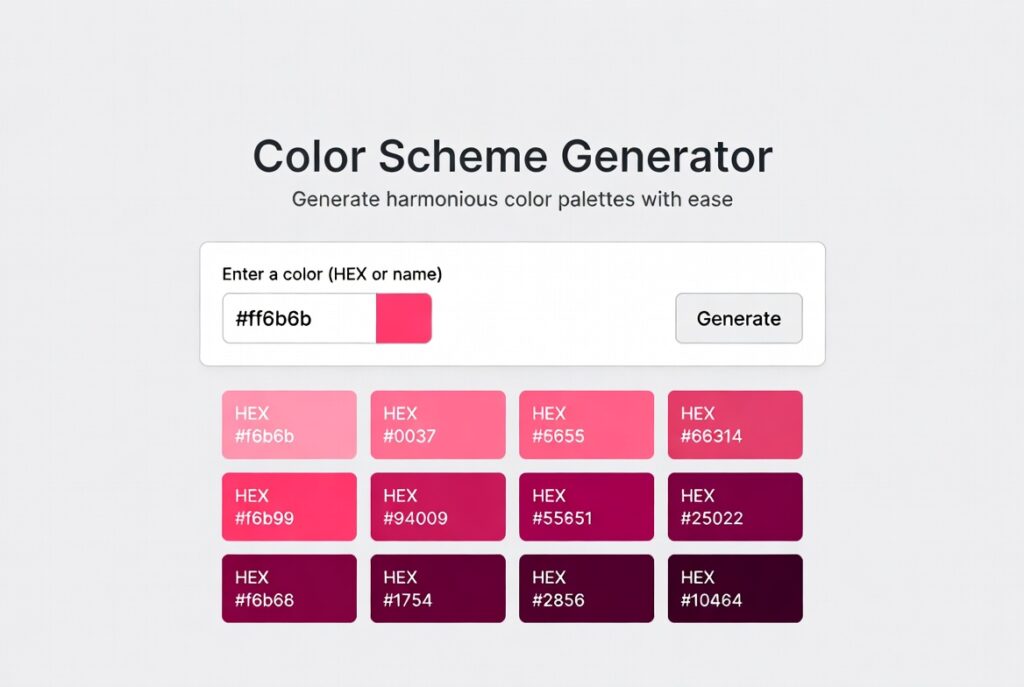
Color Scheme Generator
About this tool: This generator helps you create harmonious color schemes based on color theory principles. Simply choose a base color and a color harmony rule to generate a complete palette.
How to use: Select a base color using the color picker, choose a harmony type from the dropdown, and click “Generate Scheme” to see your new color palette.
Introduction:
Why do some websites just feel right the second you land on them, while others make you want to click away? A lot of the time, it’s not about the layout or even the content—it’s the colors. Seriously, color harmony is a big deal. Studies say people decide to accept or reject a product based on color alone about 60% of the time. That’s where a color scheme generator steps in. It takes all the complicated stuff from color theory and turns it into palettes you can actually use.
Think of it like having a top-tier designer in your browser. These tools don’t just pick random colors that look pretty together—they’re built on centuries of color theory, so your colors are both psychologically spot-on and visually balanced. Whether you’re building out a brand, giving your website a facelift, or just whipping up some marketing materials, the right color scheme generator can make you stand out—or blend in with everyone else.
So, what exactly is a color scheme generator? It’s a smart web tool that spits out color combos based on real color theory. Instead of guessing which colors might look okay together, you feed in a starting color or just let the generator surprise you, and it pulls together palettes that work—because they’re grounded in math and science.
These generators actually “get” all those relationships on the color wheel: complementary, analogous, triadic, tetradic—you name it. Not only do you get the actual colors, but you also get handy design assets like HEX codes, RGB values, CSS variables, and even accessibility scores.
What should you look for in a professional color scheme generator?
- Tons of Color Rules: Complementary, analogous, triadic, split-complementary, tetradic, monochromatic—you can build palettes around any of these.
- Flexible Inputs: Start with a hex code, an RGB value, or just pick a color visually.
- Palette Tweaks: Fine-tune your palette by adjusting saturation, brightness, or warmth right inside the tool.
- Accessibility Checks: Instantly see if your color combos meet WCAG contrast standards, so your text is always readable.
- Easy Exports: Grab your palette as CSS variables, SCSS, Tailwind configs, or even Adobe Swatch files.
- Real Previews: Drop your colors into sample website templates or branding mockups, so you know they actually work in context.
- Trend Filters: Some tools let you browse palettes by mood or trending styles—calm, bold, professional, whatever you need.
How do you actually use one of these generators like a pro? Here’s a quick, practical workflow:
Step 1: Start With a Color
Either use a color you already have (like from your logo or brand guidelines) or just explore until you spot something that clicks. Paste in the exact HEX code, or hit “random” until you find a hero color that really fits your vibe.
Step 2: Pick Your Harmony Rule
This is where the magic happens. Choose the type of harmony you want:
- Complementary: Opposite colors. Tons of contrast, pops right off the page.
- Analogous: Colors side by side. Calming, smooth, easy on the eyes.
- Triadic: Three colors spaced evenly. Balanced and lively, but not too wild.
- Monochromatic: Shades and tints of one color. Looks polished and unified.
Each type gives you a different feel. Complementary grabs attention; analogous is softer and more relaxed.
Step 3: Fine-Tune Your Palette
Even if the generator nails the math, you’ll want to adjust things by hand. Maybe tone down a background shade, or make your call-to-action button stand out more. Aim for balance: usually, one dominant color (about 60% of your design), one secondary (30%), and one or two accents (10%). Most generators show you this breakdown right there in the interface.
Step 4: Export and Put It to Work
Happy with your palette? Export it in whatever format you need. For websites, grab the CSS variables. For branding, download a PDF or swatch file. And for design tools, export as ASE or Sketch files. The best generators even give you code snippets showing exactly where to use each color—primary, secondary, backgrounds, text, and more.
That’s it. With the right color scheme generator, you can ditch the guesswork and build color palettes that actually work—on-screen and in the real world.
Checkout our new tool Color Picker Tool here….
FAQs
How many colors should be in my palette?
For most projects, 3-5 core colors plus 2-3 neutrals (grays/whites) is ideal. Too many colors create visual chaos. Remember the 60-30-10 rule for distribution.
What’s the difference between HEX, RGB, and HSL?
HEX (#FF5733) is standard for web. RGB (255,87,51) defines red, green, blue values. HSL (14°, 100%, 60%)—Hue, Saturation, Lightness—is most intuitive for designers to adjust. Modern CSS prefers HSL for its adjustability.
Can I use a generator for an existing website redesign?
Absolutely. Input your current primary color, then experiment with different harmony rules to find refreshing yet familiar variations. This maintains brand recognition while modernizing.
Are generated palettes copyright protected?
Color combinations themselves cannot be copyrighted, though specific color trademarks exist (like Tiffany Blue). However, the specific expression and arrangement in a generator’s interface may be protected.
