
🗜️ Image Compressor
Reduce image file sizes while maintaining quality – perfect for web optimization
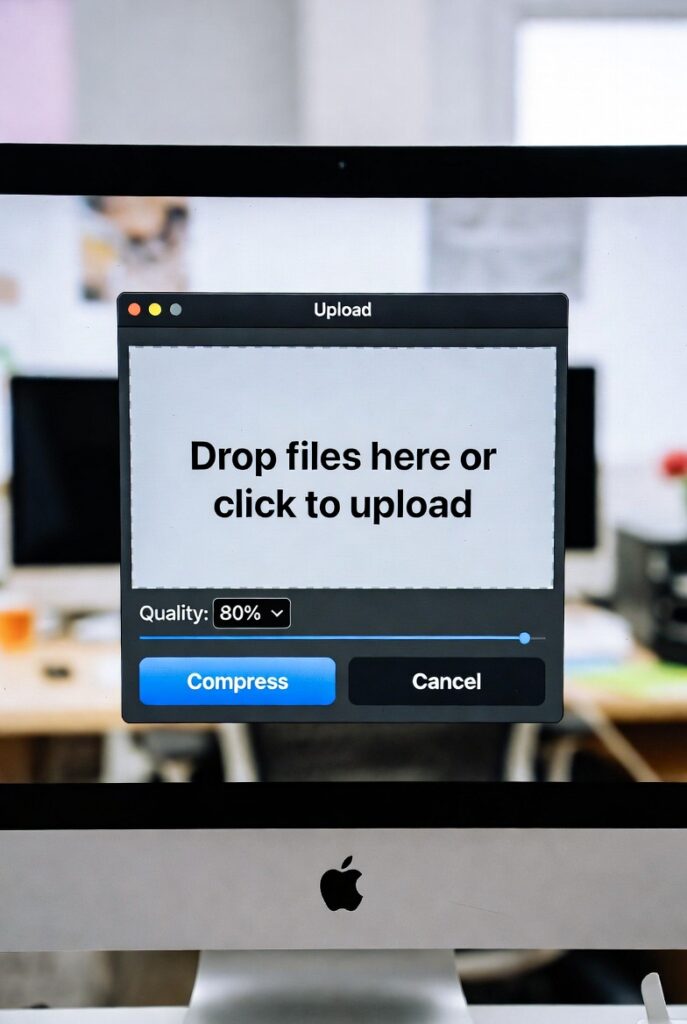
Drop your image here or click to browse
Supports JPG, PNG, GIF, WebP, and other common formats
Original Image
Compressed Image
Free Image Compressor | Reduce Image File Size Online
- Compress JPG, PNG & WEBP images without losing quality. Our free image compressor reduces file size for faster websites and easy sharing. Try it now!
Introduction
Are your website images loading too slowly? Struggling to email photos because the files are too large? Oversized images are a common problem with a simple solution. An image compressor is the essential tool that solves this. This guide will show you how to shrink image file sizes dramatically while maintaining quality, using our free online compression tool.
What is an Image Compressor?
An image compressor is a digital tool that reduces the file size of photographs and graphics. It uses smart algorithms to remove unnecessary data while preserving visual quality.
Our advanced compressor handles this through:
- Lossless compression: Removes hidden data without quality loss
- Lossy compression: Strategically reduces quality for smaller files
- Format optimization: Converts to efficient formats automatically
- Bulk processing: Compresses multiple images simultaneously
Why Image Compression is Crucial Today
Uncompressed images create problems across digital platforms. Proper compression provides immediate benefits.
1. Dramatically Improves Website Speed
Large images are the #1 cause of slow loading websites. Google ranks faster sites higher in search results.
2. Saves Storage Space and Bandwidth
Compressed images use 60-80% less storage space on your devices and servers.
3. Enhances User Experience
Faster loading images keep visitors engaged and reduce bounce rates by up to 40%.
4. Enables Easy Sharing
Compressed files email quickly and upload faster to social media platforms.
Understanding Compression Types
Different situations call for different compression approaches.
Lossy Compression
- Removes some image data permanently
- Offers highest compression rates (up to 90% size reduction)
- Ideal for web images and photographs
- Quality loss is usually unnoticeable at optimal settings
Lossless Compression
- Preserves all original image data
- Smaller size reduction (typically 20-50%)
- Essential for technical images and archives
- Perfect quality preservation
Key Features of Our Image Compressor
Our tool combines power with simplicity for optimal results.
- Smart Quality Detection: Automatically finds the best balance between size and quality
- Batch Processing: Compress up to 20 images simultaneously
- Format Conversion: Optional conversion to WEBP for maximum compression
- Quality Slider: Fine-tune compression level to your needs
- Instant Preview: See file size savings before downloading
Real-World Compression Scenarios
Here are common situations where our compressor delivers immediate value.
Scenario 1: Website Optimization
Your homepage has 5MB of images loading slowly.
- Action: Compress all images with 70% quality setting
- Result: 3.5MB total size, 50% faster load times
Scenario 2: Real Estate Photography
You need to email 20 high-resolution property photos to a client.
- Action: Batch compress with 80% quality setting
- Result: Files email quickly while maintaining professional quality
Scenario 3: E-commerce Product Images
Your online store has hundreds of product images slowing down pages.
- Action: Compress to WEBP format with lossy compression
- Result: 75% smaller files with minimal quality difference
How to Compress Images in 3 Steps
Our streamlined process makes compression accessible to everyone.
- Upload Images: Drag and drop files or select from your device
- Adjust Settings: Choose compression level and format (optional)
- Download Results: Get your optimized images instantly
Image Compression Best Practices
Follow these guidelines for optimal results with any compressor.
- Always keep originals for print and archive purposes
- Use lossy compression for web and digital display
- Choose WEBP format when possible for superior compression
- Test different quality levels to find your sweet spot
- Compress before uploading to websites and platforms
Conclusion
Image compression is no longer optional – it’s essential for website performance, efficient storage, and seamless sharing. A reliable image compressor empowers you to maintain visual quality while solving size-related problems across all your digital platforms. The time and performance savings quickly add up.
Ready to optimize your images? [Use our free Image Compressor now] and start saving space while speeding up your websites!
Checkout our new GpA Calculator tool….
