
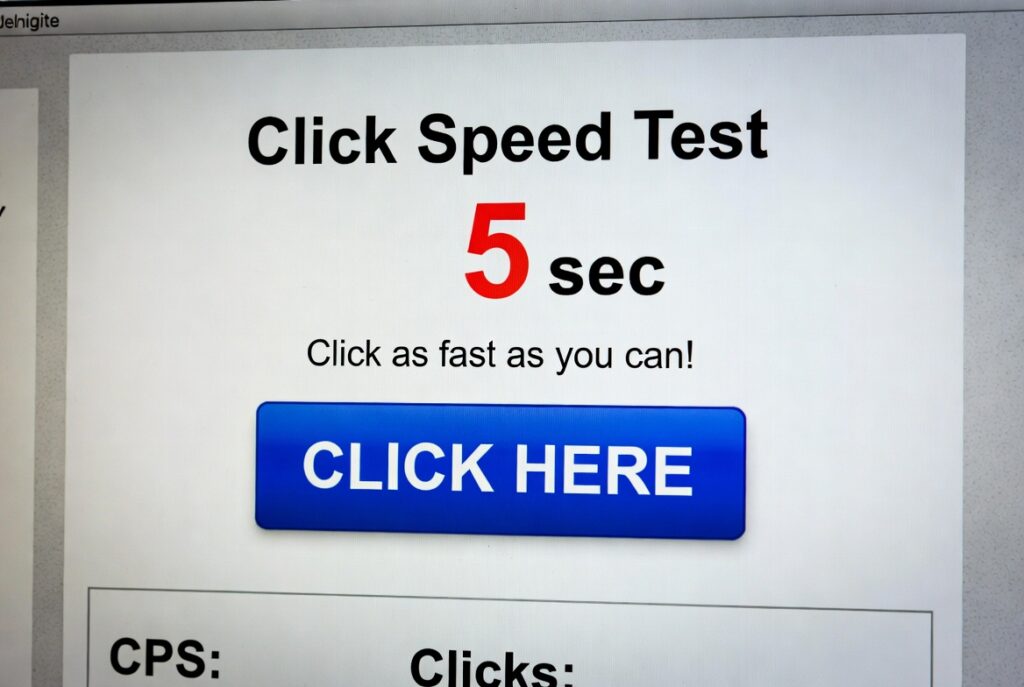
Click Speed Test
Test how fast you can click in a set time period. This tool measures your clicking speed and calculates your clicks per second (CPS). Challenge yourself or compete with friends to see who can achieve the highest clicking speed!
How to use: Choose a test duration, click “Start Test”, then click repeatedly in the designated area as quickly as possible until the timer runs out. Your results will be displayed below.
| # | Total Clicks | CPS | Duration | Date & Time |
|---|---|---|---|---|
| No test history yet. Complete a test to see your results. | ||||
- Use the tip of your finger rather than your whole hand to click
- Try alternating between two fingers
- Make sure your mouse sensitivity is set appropriately
- Practice regularly to build muscle memory
Introduction:
What’s the true limit of your clicking speed? In the world of competitive gaming, content creation, and even data entry, Clicks Per Second (CPS) is more than a fun metric—it’s a measurable skill that can define performance. The Click Speed Test is the ultimate tool to quantify this ability, transforming a simple action into a competitive benchmark and a training ground for improvement.
Whether you’re a Minecraft PvP enthusiast aiming for faster click combos, a graphic designer looking to streamline workflows, or just curious about your own reflexes, this test provides instant, objective feedback. It takes the guesswork out of performance, offering clear data on your clicking speed, stamina, and consistency. In a digital era where efficiency is king, knowing and optimizing your CPS is a small but powerful way to gain an edge.
What is a Click Speed Test?
A Click Speed Test is a specialized web application that measures how many times you can click your mouse or tap your screen within a set time frame—most commonly 1 second, 5 seconds, 10 seconds, or 60 seconds (1 minute). It calculates and displays your real-time Clicks Per Second (CPS) rate, providing a precise numerical score for your clicking velocity and endurance.
Beyond a simple counter, advanced tests analyze your clicking technique—identifying if you use a single finger, multiple fingers, or specialized methods like jitter clicking (rapid muscle vibrations) or butterfly clicking (using two fingers alternately). It’s a diagnostic tool for your interface interaction speed, offering insights that can be applied directly to gaming performance or repetitive computer tasks.
Core Features of a Professional CPS Tester
The best tools offer comprehensive analytics:
- Multiple Time Modes: Standard tests for 1s (pure burst speed), 5s/10s (sustained speed), and 60s (endurance).
- Real-Time CPS Counter: Live tracking of your current click rate during the test.
- Detailed Results Breakdown: Final score showing total clicks, average CPS, and peak CPS.
- Click Technique Analytics: Identifies patterns and suggests the most efficient clicking method for your style.
- Leaderboards & Challenges: Compare your scores globally or challenge friends directly via shareable links.
- Click Heatmap: Shows where you clicked on the test area, revealing precision and consistency.
- Practice Modes: Drills to improve specific aspects like burst speed or stamina.
How to Take the Click Speed Test: A 4-Step Guide
To get an accurate and meaningful score, follow a structured approach.
Step 1: Choose Your Test Duration
Select the time frame that matches your goal. For pure burst speed (relevant for gaming combos), choose the 1-second test. For stamina and consistency (relevant for prolonged tasks), choose the 60-second (1-minute) test. The 5 and 10-second tests offer a balanced middle ground. Your strategy and finger technique will differ based on duration.
Step 2: Position Your Hand & Mouse
Ergonomics matter. Ensure your wrist is supported and your finger is relaxed but poised over the primary mouse button. Different grips (palm, claw, fingertip) can affect speed. For the most accurate personal baseline, use your everyday setup. Competitive testers often optimize their setup by adjusting DPI or using specific mouse models.
Step 3: Click During the Timed Period
Once you hit “Start Test,” the timer will count down. Click as fast as humanly possible within the designated area. The interface will show a live counter and often a dynamic CPS graph. Don’t try to “pace yourself” in short tests—go for maximum burst. In longer tests, you’ll need to manage fatigue to maintain a high average.
Step 4: Analyze Your Detailed Results
After time expires, you’ll see your final score: total clicks and average CPS. A professional test will also show:
- Peak CPS: Your highest rate during any one-second interval.
- Consistency Graph: How your speed varied over time.
- Percentile Rank: How you compare to other test-takers worldwide.
- Technique Feedback: e.g., “Your click pattern suggests a single-finger method. Try alternating two fingers for a higher potential CPS.”
Checkout our new tool here: colors
FAQs
Is a higher CPS always better?
Not necessarily. In gaming, precision and timing often matter more than raw speed. A perfectly timed click at 6 CPS is more valuable than 12 mis-timed clicks. The test measures potential, not in-game effectiveness.
Does mouse DPI or polling rate affect my score?
Minimally for this test, as it’s about button activation, not cursor movement. However, a high-quality mouse with a light actuation force and low debounce time can provide a slight edge by registering clicks more reliably at high speeds.
Can I cheat on a speed test?
Technically, yes—using auto-clicker software or hardware modifications. However, this defeats the purpose of measuring your own skill. Most reputable online tests have basic detection for impossibly consistent or superhuman click patterns (e.g., over 25 CPS).
How can I safely increase my CPS?
Focus on technique first. Practice the butterfly click method, as it’s more sustainable than jitter clicking. Ensure proper wrist posture, take frequent breaks, and perform hand stretches. Improvement comes from consistent, mindful practice, not frantic, injury-inducing sessions.
