
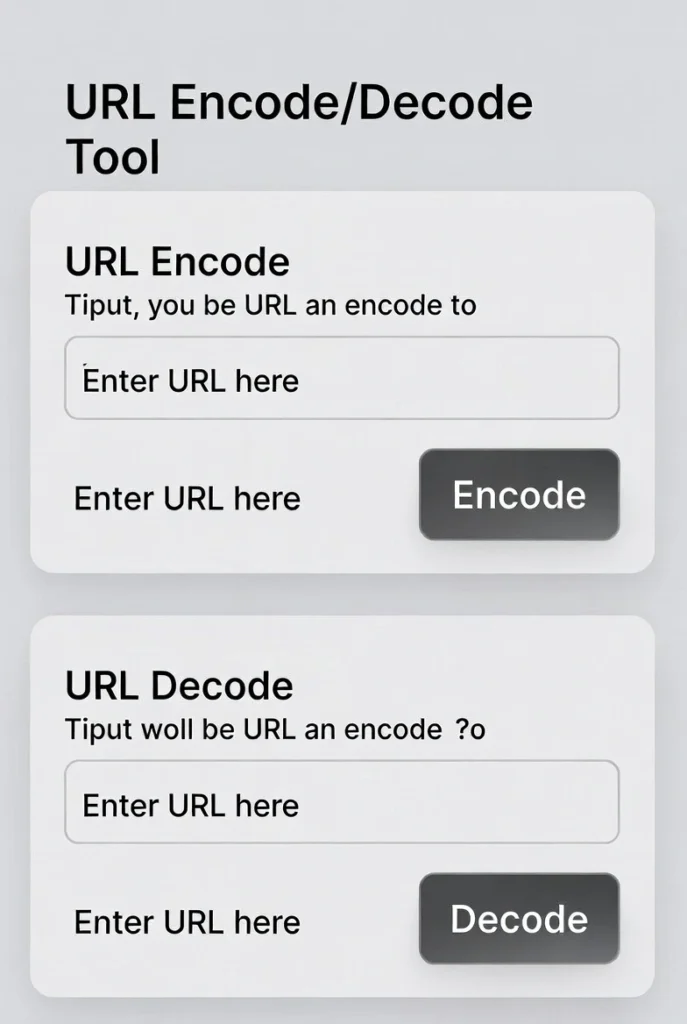
URL Encode/Decode Tool
This URL Encode/Decode tool helps you convert text to URL-encoded format and vice versa. URL encoding replaces unsafe ASCII characters with a “%” followed by two hexadecimal digits, ensuring URLs are properly formatted for web transmission.
How to use: Enter your text in the input box, select the operation you want to perform, and click the corresponding button. The tool also parses URLs into their components for better understanding of URL structure.
| Parameter | Value | Decoded Value |
|---|
Common URL-Encoded Characters
Here are some commonly URL-encoded characters:
| Character | URL Encoded | Description |
|---|---|---|
| Space | %20 or + | Space character |
| ! | %21 | Exclamation mark |
| “ | %22 | Double quote |
| # | %23 | Number sign |
| $ | %24 | Dollar sign |
| & | %26 | Ampersand |
| ‘ | %27 | Single quote |
| ( | %28 | Opening parenthesis |
| ) | %29 | Closing parenthesis |
| * | %2A | Asterisk |
| + | %2B | Plus sign |
| , | %2C | Comma |
| / | %2F | Forward slash |
| : | %3A | Colon |
| ; | %3B | Semicolon |
| = | %3D | Equals sign |
| ? | %3F | Question mark |
| @ | %40 | At sign |
| [ | %5B | Opening bracket |
| ] | %5D | Closing bracket |
About URL Encoding
URL encoding, also known as percent-encoding, is a mechanism for encoding information in a Uniform Resource Identifier (URI) under certain circumstances. URL encoding is used when placing text in a query string to convert characters that are not allowed in URLs to a format that is.
Why URL Encoding is Necessary
- Special characters: URLs can only contain a specific set of ASCII characters. URL encoding ensures all characters can be transmitted safely.
- Reserved characters: Some characters have special meanings in URLs (like ? and &) and must be encoded when used as part of the data.
- Non-ASCII characters: Characters outside the ASCII set (like accented letters or symbols) need to be encoded for proper transmission.
encodeURI vs. encodeURIComponent
JavaScript provides two different functions for URL encoding:
- encodeURI(): Encodes a complete URI, but does not encode characters that have special meaning in a URL (like /, ?, :, @, &, =, +, $, and #).
- encodeURIComponent(): Encodes all characters that could have special meaning, making it suitable for encoding parts of a URL like query parameters.
This tool provides both options, allowing you to choose the appropriate encoding method for your specific needs.
URL Encode/Decode Tool | Encode URLs Online
Encode and decode URLs instantly. Our free URL encoder/decoder handles special characters, spaces, and non-ASCII text for web development and SEO.
Introduction
Ever encountered a URL filled with strange % symbols and numbers? Or tried to share a link that broke because it contained spaces or special characters? URLs have strict rules about which characters they can contain. A URL encode/decode tool solves these problems by properly formatting web addresses. This guide will explain URL encoding and show how our free tool ensures your links work correctly every time.
What is a URL Encode/Decode Tool?
A URL encode/decode tool converts text into a URL-safe format and vice versa. Encoding replaces unsafe characters with % followed by hexadecimal codes, while decoding reverses this process.
Our versatile tool handles:
- URL encoding (percent-encoding)
- URL decoding (reverting to original text)
- Full URLs or individual components
- Multiple character sets and languages
- Batch processing of multiple strings
Why URL Encoding is Essential
Proper URL encoding prevents errors and ensures reliable web functionality across all platforms.
1. Web Development
Web applications use encoded URLs to safely transmit data in query strings and form submissions.
2. SEO and Link Building
Properly encoded URLs improve search engine crawling and prevent broken links in your content.
3. API Development
APIs require encoded parameters to handle special characters and non-English text correctly.
4. Data Transmission
Encoding ensures special characters don’t interfere with HTTP protocol during data transfer.
Common Characters That Require Encoding
Some characters always need encoding in URLs because they have special meanings.
Reserved Characters
- & (ampersand) – separates parameters
- = (equals) – assigns values
- ? (question mark) – starts query string(hash) – indicates page fragment
- Unsafe Characters
- Spaces – become %20 or +
- < > (angle brackets) – can break HTML
- ” (quotes) – cause parsing issues
- % (percent) – already used in encoding
Key Features of Our URL Tool
Our encoder/decoder provides comprehensive functionality with these features.
- Two-Way Conversion: Instantly switch between encode and decode modes
- Real-Time Preview: See results as you type
- Character Breakdown: View which characters were encoded/decoded
- Copy to Clipboard: One-click copying of results
- Mobile Optimized: Works perfectly on all devices
Practical Encoding/Decoding Scenarios
Here are common situations where our tool provides immediate solutions.
Web Development
- Encode form data for GET requests
- Decode URL parameters received from users
- Prepare strings for API endpoints
Content Management
- Fix broken links containing unencoded spaces
- Create SEO-friendly URLs with special characters
- Decode affiliate links for analysis
Data Processing
- Handle user-generated content in URLs
- Process encoded data from external sources
- Prepare text for URL shortening services
How to Use Our URL Encode/Decode Tool
Converting text takes just three simple steps with our intuitive interface.
- Select Mode: Choose between encode or decode
- Enter Text: Paste or type your URL or text
- Get Results: View the converted output instantly
URL Encoding Best Practices
Follow these guidelines for proper URL handling in your projects.
Encode Complete Components
Encode each URL component (path, query parameters) separately rather than the entire URL at once.
Use UTF-8 Encoding
Always specify UTF-8 character encoding to properly handle international characters.
Encode Spaces as %20
While + is accepted for spaces, %20 is the standard and more reliable across systems.
Test Encoded URLs
Always verify encoded URLs work correctly in browsers before deployment.
Conclusion
URL encoding is a fundamental web technology that ensures links work reliably across all platforms and browsers. A reliable URL encode/decode tool eliminates the guesswork from handling special characters, spaces, and international text in web addresses. Whether you’re a developer building applications, a marketer creating shareable links, or a user troubleshooting broken URLs, proper encoding ensures your web addresses work as intended.
Ready to fix your URL problems? [Use our free URL Encode/Decode Tool now] and ensure your links work perfectly every time!
Checkout Our new Unix Timestamp Converter here….
Frequently Asked Questions (FAQs)
Is this URL encode/decode tool completely free?
Yes, 100% free with no usage limits, registration requirements, or hidden costs.
What’s the difference between URL encoding and HTML encoding?
URL encoding uses %XX format for URLs, while HTML encoding uses &entity; format for web pages.
When should I use URL encoding?
Use encoding when including user input in URLs, special characters in links, or non-ASCII text in web addresses.
Can I encode entire URLs?
Yes, but it’s better practice to encode individual components separately for proper functionality.
Is this URL encode/decode tool completely free?
Yes, 100% free with no usage limits, registration requirements, or hidden costs.
What’s the difference between URL encoding and HTML encoding?
URL encoding uses %XX format for URLs, while HTML encoding uses &entity; format for web pages.
When should I use URL encoding?
Use encoding when including user input in URLs, special characters in links, or non-ASCII text in web addresses.
Can I encode entire URLs?
Yes, but it’s better practice to encode individual components separately for proper functionality.
