
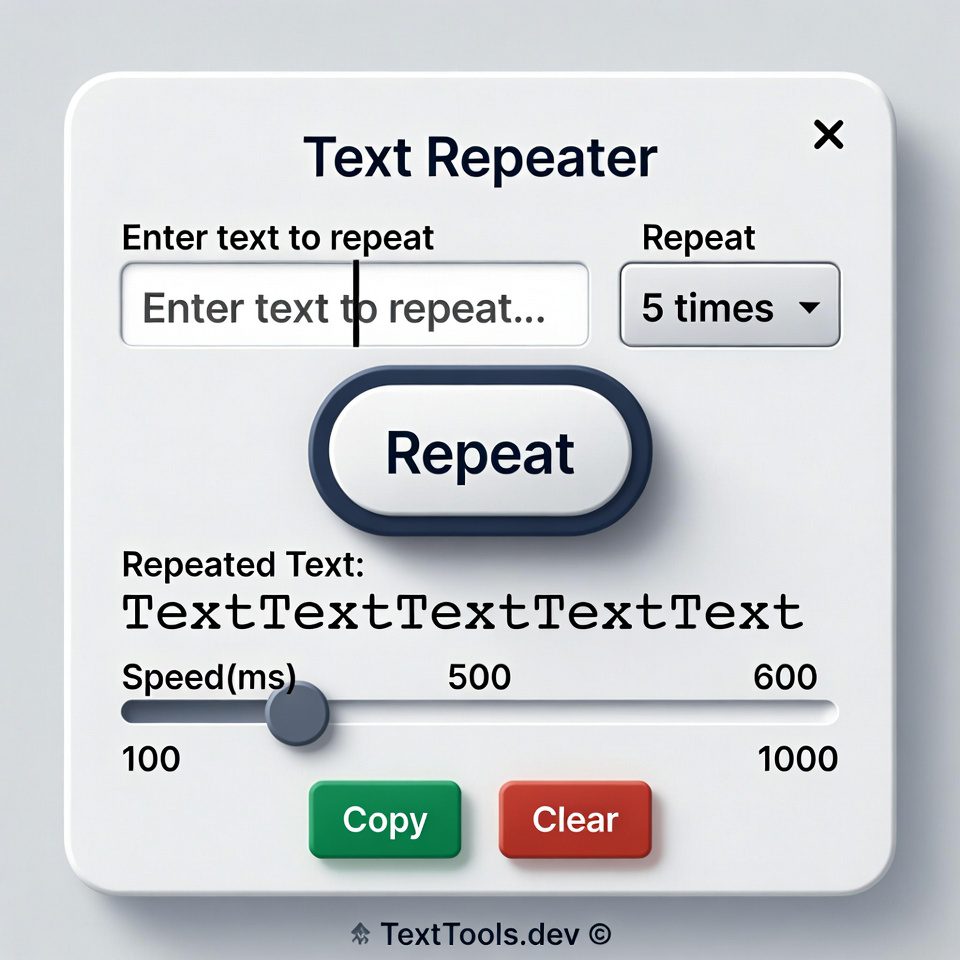
Text Repeater
This tool repeats a text string multiple times. Useful for creating placeholder text, testing, or generating patterns.
You can control how many times to repeat the text and what separator to use between repetitions.
Result:
How to Use:
- Enter the text you want to repeat in the “Text to repeat” field
- Specify how many times you want to repeat it
- Optionally, add a separator between repetitions
- Choose whether to add new lines or numbering
- Click the “Repeat Text” button
- The repeated text will appear in the result box
- Use the “Copy Result” button to copy the repeated text to clipboard
Note: For large numbers of repetitions, the process might take a moment to complete.
Text Repeater | Repeat Text Online Multiple Times
Repeat any text multiple times instantly. Our free text repeater tool duplicates words, phrases, or paragraphs with custom separators. No limits!
Introduction
Need to create sample text for testing? Want to generate repeated patterns for design projects? Manually copying and pasting text multiple times is tedious and inefficient. A text repeater automates this process, creating multiple copies of your text with just one click. This guide will show you the practical applications of text repetition and how our free tool can save you time on repetitive tasks.
What is a Text Repeater?
A text repeater is an online tool that duplicates text a specified number of times. It automates the process of creating multiple copies of words, phrases, or paragraphs with customizable formatting options.
Our versatile repeater handles:
- Single words or long paragraphs
- Custom repetition counts from 1 to 10,000+
- Separator options between repetitions
- Text formatting preservation
- Batch processing of multiple texts
Why Text Repetition is Useful
Repeating text serves practical purposes across various fields and applications.
1. Software Testing
Developers use repeated text to test field limits, character counts, and formatting in applications.
2. Design Projects
Graphic designers create patterns, backgrounds, and text effects using repeated elements.
3. Content Creation
Writers generate placeholder text and sample content for templates and mockups.
4. Educational Purposes
Teachers create exercises, worksheets, and learning materials with repeated examples.
Key Features of Our Text Repeater
Our tool provides professional text repetition with these user-friendly features.
- Custom Repetition Count: Choose exact number of repetitions
- Separator Options: Add spaces, commas, or custom characters between repeats
- Real-Time Preview: See results as you adjust settings
- No Character Limits: Process large amounts of text
- One-Click Copy: Easy export of repeated text
Common Use Cases
Here are practical situations where text repetition provides immediate benefits.
Web Development
- Test form field character limits
- Create sample content for layout testing
- Generate placeholder text for prototypes
Data Processing
- Create test datasets with repeated values
- Generate sample records for database testing
- Prepare bulk data for import procedures
Creative Projects
- Design text patterns for graphics
- Create repetitive elements for art projects
- Generate rhythmic text for poetry or music
How to Repeat Text in 3 Steps
Generating repeated text is simple with our streamlined interface.
- Enter Text: Input the text you want to repeat
- Set Parameters: Choose repetition count and separators
- Generate: Create your repeated text instantly
Text Repetition Best Practices
Follow these guidelines for optimal results with repeated text.
Use Meaningful Separators
Choose separators that match your intended use case (spaces, commas, line breaks).
Test Different Quantities
Start with small repetition counts and increase gradually to avoid overwhelming outputs.
Consider Readability
For long texts, use line breaks or paragraph separators to maintain readability.
Verify Output Length
Check that your repeated text doesn't exceed system limits in your target application.
Understanding Repetition Options
Different repetition methods serve different purposes and use cases.
Simple Repetition
Basic duplication without separators. Ideal for creating continuous text blocks.
Separated Repetition
Adds spaces, commas, or custom characters between repetitions for structured outputs.
Formatted Repetition
Maintains original formatting, line breaks, and paragraph structure in repeated text.
Numbered Repetition
Adds sequential numbers to each repetition for organized listing.
Conclusion
Text repetition is a simple yet powerful technique for testing, design, and content creation. A reliable text repeater eliminates the monotony of manual copying and pasting while ensuring accuracy and consistency in your repeated text. Whether you're testing software, creating designs, or preparing educational materials, automated text repetition saves time and enhances productivity.
Ready to multiply your text? [Use our free Text Repeater now] and generate repeated text instantly for any project!
Checkout Our new tool Text Case Converter here.....
Frequently Asked Questions (FAQs)
Is this text repeater completely free?
Yes, 100% free with no usage limits, registration requirements, or hidden costs.
What's the maximum number of repetitions?
You can repeat text up to 10,000 times, suitable for most testing and creative needs.
Can I add custom separators between repetitions?
Absolutely. You can use spaces, commas, line breaks, or any custom characters as separators.
Does the tool work with special characters and emojis?
Yes, our repeater handles all Unicode characters, including emojis and special symbols.
Is this text repeater completely free?
Yes, 100% free with no usage limits, registration requirements, or hidden costs.
What's the maximum number of repetitions?
You can repeat text up to 10,000 times, suitable for most testing and creative needs.
Can I add custom separators between repetitions?
Absolutely. You can use spaces, commas, line breaks, or any custom characters as separators.
Does the tool work with special characters and emojis?
Yes, our repeater handles all Unicode characters, including emojis and special symbols.
