
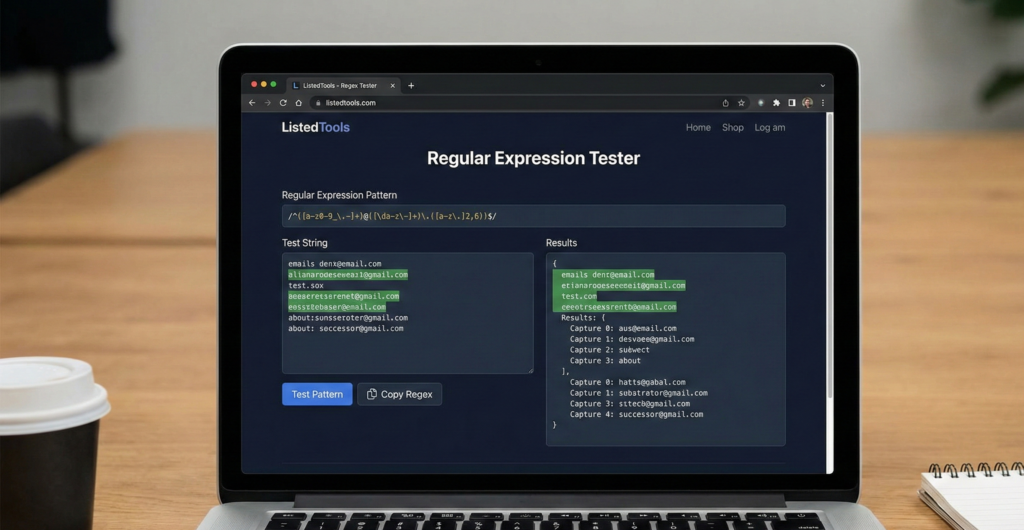
Regular Expression Tester
About this tool: Test regular expressions against input text and see matches in real-time. This tool highlights all matches and provides details about each match found.
How to use:
- Enter your regular expression pattern in the “Regex Pattern” field
- Enter the text you want to test against in the “Test String” field
- Select options like case sensitivity and global matching if needed
- Click “Test Regex” to see results
Results will appear here…
Regex Tester | Test Regular Expressions Online
Test and debug regular expressions instantly. Our free regex tester supports multiple flavors with real-time matching and detailed explanations.
Introduction
Struggling to write the perfect regular expression? Tired of debugging complex patterns across multiple programming languages? Regular expressions are powerful but notoriously difficult to get right. A regular expression tester provides instant feedback and visualization to help you master pattern matching. This guide will demystify regex testing and show how our free tool helps developers create accurate patterns efficiently.
What is a Regular Expression Tester?
A regular expression tester is an online tool that allows you to write, test, and debug regex patterns against sample text. It provides real-time feedback on matches and helps identify errors in your patterns.
Our comprehensive tester supports:
- Multiple regex flavors (PCRE, JavaScript, Python, Java)
- Real-time matching with highlighting
- Group capture and replacement testing
- Performance analysis for optimization
- Syntax validation and error detection
Why Regex Testing is Essential
Regular expressions are crucial for text processing, validation, and data extraction across countless applications.
1. Data Validation
Ensure user input matches expected formats for emails, phone numbers, and custom patterns.
2. Text Processing
Extract specific information from documents, logs, and unstructured text data.
3. Search and Replace
Perform advanced find/replace operations in code editors and development environments.
4. Data Cleaning
Identify and transform inconsistent data formats into standardized structures.
Key Features of Our Regex Tester
Our tool provides professional regex development capabilities with these features.
- Live Preview: See matches update as you type
- Match Highlighting: Visualize which text segments match your pattern
- Explanation Panel: Understand what your regex pattern actually does
- Replace Functionality: Test search and replace operations
- Save and Share: Store and share your regex patterns with team members
Common Regex Testing Scenarios
Here are practical situations where our tester provides immediate value.
Email Validation
- Test patterns for valid email address formats
- Handle various domain extensions and special cases
- Ensure comprehensive coverage without false positives
Log File Analysis
- Extract specific error codes and timestamps
- Filter log entries by severity or source
- Parse structured data from unstructured logs
Data Extraction
- Pull phone numbers from text documents
- Extract URLs from web content
- Capture specific data patterns from CSV files
How to Test Regular Expressions
Our streamlined process makes regex testing accessible to all skill levels.
- Enter Test String: Provide sample text to test against
- Write Regex Pattern: Input your regular expression
- Analyze Results: Review matches, groups, and performance
Regex Testing Best Practices
Follow these guidelines for effective regular expression development.
Test with Diverse Samples
Use representative test data that covers both positive and negative cases.
Start Simple
Build complex patterns incrementally, testing each component as you go.
Consider Performance
Avoid catastrophic backtracking with efficient pattern design.
Document Your Patterns
Add comments to complex regex for future maintenance and team collaboration.
Understanding Regex Components
Master these fundamental elements to create effective patterns.
Character Classes
[abc]– Match any of a, b, or c[^abc]– Match anything except a, b, or c\d– Match any digit (0-9)
Quantifiers
*– Zero or more times+– One or more times{2,5}– Between 2 and 5 times
Anchors and Boundaries
^– Start of string$– End of string\b– Word boundary
Conclusion
Regular expressions are indispensable tools for text processing, data validation, and pattern matching. A reliable regular expression tester eliminates the guesswork from regex development, providing instant feedback and detailed analysis. Whether you’re validating user input, parsing log files, or extracting data, proper regex testing ensures your patterns work correctly and efficiently across all scenarios.
Ready to master regular expressions? [Use our free Regex Tester now] and create perfect patterns with real-time feedback!
- Most Popular. Provides a detailed breakdown and explanation of your RegEx pattern, supports multiple flavors, and has a built-in debugger.
Frequently Asked Questions (FAQs)
Is this regex tester completely free?
Yes, 100% free with no usage limits, registration requirements, or hidden costs.
Which regex flavors do you support?
We support PCRE, JavaScript, Python, Java, and .NET regex syntax.
Can I test regex replacement patterns?
Absolutely. Our tool includes full search and replace functionality with backreferences.
How do I handle special characters in regex?
Use backslashes to escape special characters: \. matches a literal period.
Is this regex tester completely free?
Yes, 100% free with no usage limits, registration requirements, or hidden costs.
Which regex flavors do you support?
We support PCRE, JavaScript, Python, Java, and .NET regex syntax.
Can I test regex replacement patterns?
Absolutely. Our tool includes full search and replace functionality with backreferences.
How do I handle special characters in regex?
Use backslashes to escape special characters: \. matches a literal period.
