
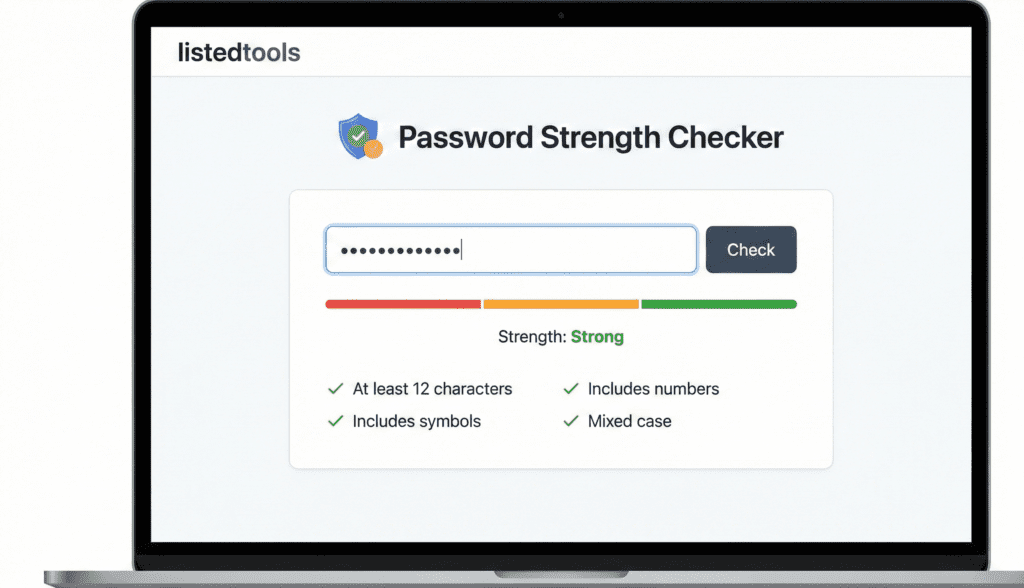
Password Strength Checker
Instant feedback with entropy estimation and improvement tips.
Password Strength Checker | Test Your Password Security
Check your password strength instantly. Our free password strength tester analyzes security and helps create hack-resistant passwords for all accounts.
Introduction
Is your password strong enough to withstand a cyber attack? Using weak passwords is one of the most common security mistakes people make. A password strength checker provides immediate feedback on your password’s vulnerability and helps you create secure credentials. This guide will show you why password strength matters and how our free tool helps protect your digital accounts from unauthorized access.
What is a Password Strength Checker?
A password strength checker is a security tool that analyzes passwords and evaluates their resistance to hacking attempts. It tests various security factors and provides a strength rating with improvement suggestions.
Our comprehensive checker evaluates:
- Password length and complexity
- Character variety (uppercase, lowercase, numbers, symbols)
- Common password patterns and dictionary words
- Sequential characters and repeated patterns
- Personal information that weakens security
Why Password Strength Matters
Strong passwords are your first line of defense against cyber threats and unauthorized access.
1. Account Protection
Prevent unauthorized access to email, social media, banking, and work accounts.
2. Data Security
Protect sensitive personal, financial, and business information from theft.
3. Identity Theft Prevention
Reduce risk of identity fraud and personal information compromise.
4. Business Security
Maintain organizational security by ensuring strong employee credentials.
Key Features of Our Password Strength Checker
Our tool provides professional security analysis with these user-friendly features.
- Real-Time Analysis: Instant feedback as you type
- Detailed Breakdown: Specific factors affecting strength
- Improvement Suggestions: Actionable tips for stronger passwords
- No Data Storage: We never save or transmit your passwords
- Educational Resources: Learn password security best practices
Common Password Security Scenarios
Here are situations where password strength checking provides crucial protection.
New Account Creation
- Verify password strength before creating important accounts
- Ensure compliance with security requirements
- Establish strong security habits from the start
Password Updates
- Check new passwords during routine security updates
- Validate password changes meet current security standards
- Maintain consistent security across all accounts
Security Audits
- Review existing password strength across accounts
- Identify weak passwords needing immediate replacement
- Improve overall personal or organizational security
How to Check Password Strength in 3 Steps
Evaluating your password security is simple with our straightforward process.
- Enter Password: Type or paste your password (we don’t store it)
- View Analysis: See detailed strength assessment and feedback
- Implement Suggestions: Use recommendations to improve security
Password Strength Best Practices
Follow these guidelines for creating and maintaining secure passwords.
Use Long Passwords
Aim for at least 12 characters, with longer passwords providing better security.
Include Character Variety
Combine uppercase letters, lowercase letters, numbers, and symbols.
Avoid Personal Information
Never use names, birthdays, or other easily discoverable personal details.
Use Unique Passwords
Create different passwords for each account to prevent domino-effect breaches.
Understanding Password Strength Levels
Different strength ratings indicate various levels of security protection.
Very Weak
Easily cracked in seconds. Immediate change required for any security.
Weak
Vulnerable to basic hacking attempts. Should be strengthened soon.
Moderate
Provides basic protection but could be improved for important accounts.
Strong
Resistant to most common hacking methods. Suitable for general use.
Very Strong
Highly resistant to advanced hacking techniques. Ideal for sensitive accounts.
Conclusion
Password strength is fundamental to digital security, protecting your accounts, data, and identity from increasingly sophisticated cyber threats. A reliable password strength checker provides the immediate feedback needed to create hack-resistant credentials and maintain strong security habits. Whether you’re creating new accounts, updating existing passwords, or conducting security audits, regular strength checking ensures your digital life remains protected against unauthorized access.
Ready to test your password security? [Use our free Password Strength Checker now] and ensure your accounts are protected with strong, secure passwords!
- Use this if you have a technical section about how your tool works (entropy, complexity).
Frequently Asked Questions (FAQs)
Is this password strength checker safe to use?
Yes, we never store, save, or transmit any passwords you test. All analysis happens locally in your browser.
What makes a password truly secure?
Length (12+ characters), character variety, unpredictability, and uniqueness across accounts.
Should I use password managers?
Yes, password managers help create and store strong, unique passwords for all your accounts securely.
How often should I change my passwords?
Change passwords immediately if breached, otherwise every 3-6 months for sensitive accounts.
Is this password strength checker safe to use?
Yes, we never store, save, or transmit any passwords you test. All analysis happens locally in your browser.
What makes a password truly secure?
Length (12+ characters), character variety, unpredictability, and uniqueness across accounts.
Should I use password managers?
Yes, we never store, save, or transmit any passwords you test. All analysis happens locally in your browser.
How often should I change my passwords?
Change passwords immediately if breached, otherwise every 3-6 months for sensitive accounts.
